


The Domain Name System (DNS) helps connect your domain name to your website, email, and other online services. If you’re moving a website, changing an IP address, connecting business email, or updating another service, understanding what TTL in DNS is can help you plan the change and avoid unnecessary confusion.
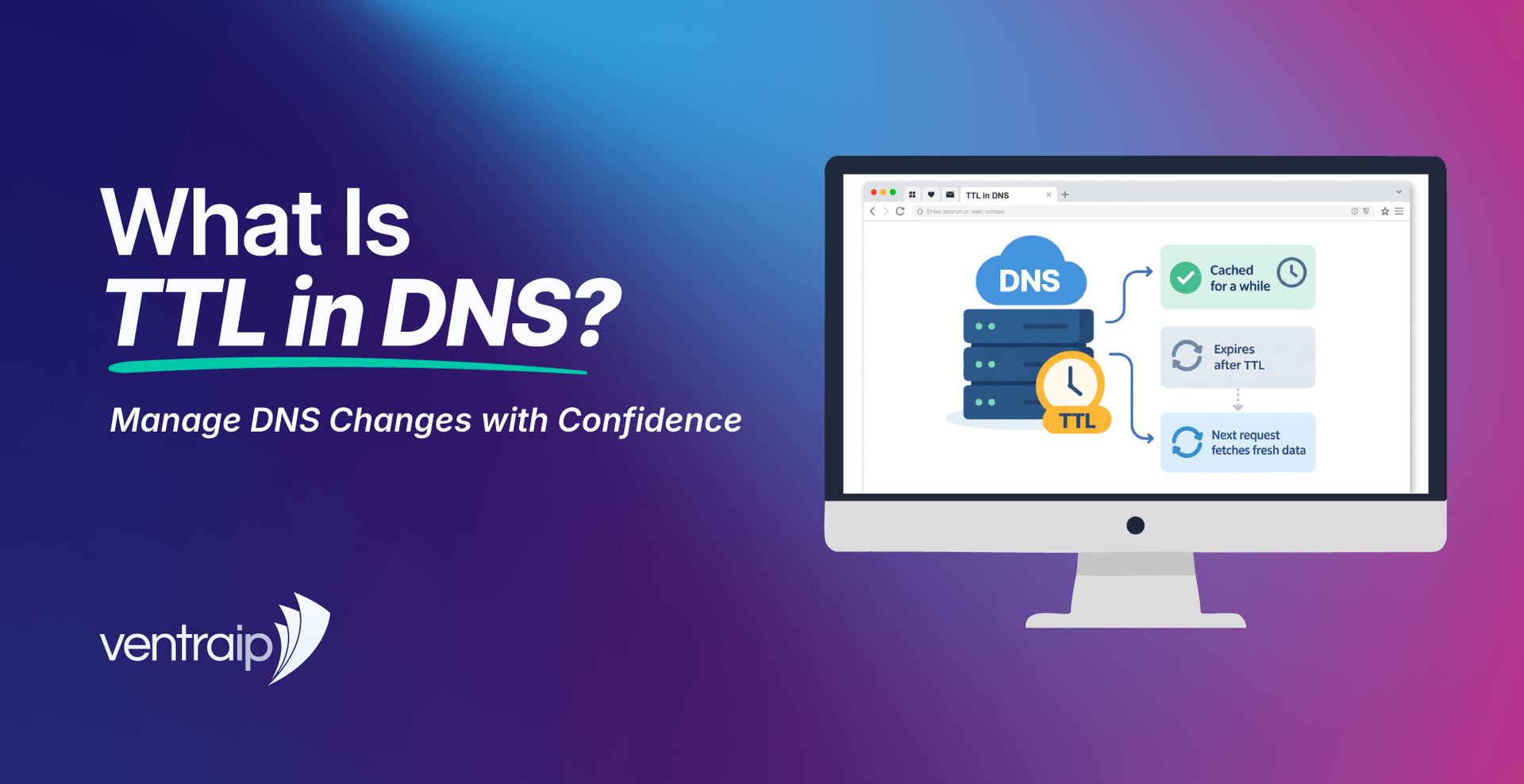
TTL stands for Time to Live. It is a value, measured in seconds, that tells a DNS resolver how long it can keep an answer before checking for a newer version. If a record has a TTL of 14,400 seconds, for example, that represents four hours.
For Australian small business owners, sole traders, startups, e-commerce businesses, website professionals, and people responsible for managing online services, TTL can make DNS changes easier to plan and troubleshoot. You can see how long older information may remain cached, avoid making repeated changes while updates are still spreading, and know when it makes sense to leave the default TTL alone.
VentraIP provides centralised DNS management through VIPcontrol when a domain is using supported VentraIP DNS or hosting nameservers. The platform supports common record types including A, AAAA, CNAME, MX, TXT, SRV, and CAA records.
You do not need to know every technical part of DNS to manage it confidently. Understanding what TTL controls, when it matters, and what to check before changing a record can make website, email, and domain updates much easier to handle.
What TTL Is and Why It Matters to Your Domain
DNS connects your domain name with the online services that use it. When someone enters your domain into a browser, sends an email to your business, or accesses another service connected to that name, DNS helps direct the request to the right destination.
A DNS record provides part of those instructions. An A record might point a domain to an IPv4 address. An AAAA record performs a similar job for IPv6. MX records help direct email, while CNAME and TXT records serve other purposes.
Each DNS resource record also has a TTL, which stands for Time To Live.
Think of TTL as a period during which a DNS answer can be reused. When a DNS resolver receives information for your domain, it may keep that answer in its DNS cache for the period allowed by the record TTL. If someone using the same resolver requests the same information before the TTL expires, the resolver can return the saved answer instead of checking the domain’s DNS servers again.
Once the TTL expires, the resolver can check for current information.
That is why TTL matters when you change DNS records. A long TTL allows an answer to stay cached for longer. A smaller value gives resolvers an opportunity to check for an updated record sooner.
TTL does not act like an expiry date for your domain, website or DNS record. Nothing is removed when the timer reaches zero. It simply means the saved DNS answer can be refreshed.
You can see this most clearly when you change where a website points. Imagine your website currently points to Server A and you update its A record so it points to Server B. Some DNS resolvers may still have the old Server A answer cached, while another resolver that has already refreshed its information may send visitors to Server B.
That temporary difference is normal.
For most customers, the practical takeaway is simple. Check the TTL before a planned change, understand how long an older answer may remain cached, and avoid making repeated edits simply because the update is not visible everywhere straight away.
How DNS Resolution and Caching Work
DNS resolution is the process of finding the information needed to connect a domain with the correct website, email server, or other online service.
When you request a domain name, your device usually does not contact the domain’s DNS servers directly. The request normally goes through a DNS resolver, which may be operated by your internet provider, workplace network, or a public DNS service. You don’t need to fully understand what a DNS resolver is or exactly what it does, just remember that it’s part of the system that computers use to find the DNS records for domain names.
The resolver first checks whether it already has an answer saved. If it has a valid cached DNS record, it can return that information without carrying out the full lookup again. This reduces repeated DNS requests and allows commonly requested information to be returned quickly.
If there is no usable cached answer, the resolver follows the DNS system until it reaches the authoritative DNS servers for the domain. These are the servers responsible for publishing the domain’s current DNS records. Those servers return the requested record together with its TTL value, and the resolver can save the answer for later use.
For example, an A record might appear as:
example.com.au. 14400 IN A 203.0.113.20
The 14400 value is the TTL in seconds. That equals four hours.
If a resolver receives that answer, it may continue using it during that period. If you update the A record ten minutes later, that resolver may still return the older value until its cached answer expires.
Another resolver that does not already have the record cached may request the current value and receive the update straight away.
This is why two people can access the same domain during a DNS change and temporarily get different results.
Caching can also happen in several places. Your operating system, web browser, router, or workplace network can all influence the answer you see. These systems do not necessarily refresh their information at exactly the same time.
DNS TTL helps control how long each DNS answer can remain cached, but it does not force every device and network to update at once. This is useful to remember when troubleshooting. If your updated website works on mobile data but not on office Wi-Fi, the DNS record may already be correct. The two connections may simply be using different resolvers with different cached answers.
Instead of changing the record again, first confirm that the current DNS record is correct and allow existing caches time to refresh.
Choosing Short and Long TTL Times
There is no single TTL that suits every DNS record or every change.
A record that rarely changes can usually remain cached for longer than a record you are preparing to update. Your DNS provider may also provide a default TTL, and leaving that value alone is often the right choice when there is no specific reason to change it.
We recommend leaving TTL at the default value when managing records through VIPcontrol.
Here is how several common TTL values translate into time:
| TTL Value (seconds) | Minutes | Where It May Fit |
|---|---|---|
| 300 | 5 minutes | Temporary use when a provider specifically recommends a low TTL before a planned change |
| 600 | 10 minutes | Short change windows or migration preparation when required |
| 3,600 | 1 hour | Used by some services for regularly managed records |
| 14,400 | 4 hours | A common TTL for some DNS records that rarely change |
| 86,400 | 24 hours | Stable records where very infrequent refreshes are suitable |
Note that most service providers have a minumum TTL.
These figures show how long a record may remain cached. They do not mean every network will show your update at exactly that time.
A short TTL can be useful before a planned DNS change when you want older information to expire sooner.
Timing matters. If a record currently has a TTL of 14,400 seconds and you reduce it to 300 seconds immediately before changing the destination, resolvers that already saved the old record can still keep it according to the previous 14,400-second TTL. If you need a shorter TTL for a migration, reduce it far enough in advance for older cached copies to expire. Once resolvers begin receiving the shorter value, you can make the main DNS change with a shorter cache window.
There is no need to set every record to the lowest TTL available. A very short TTL does not improve your website or email.
For stable records, a longer TTL is often suitable. Resolvers can reuse the same answer for longer instead of checking again as frequently. The trade-off is that a future change may take longer to appear for resolvers that still have the previous value saved.
Choose the TTL based on what the record controls, how often it changes, and whether an update is planned.
If a hosting company, email platform, or other service has supplied specific DNS and TTL instructions, follow those settings. If no special value has been requested, VentraIP recommends keeping the default TTL in VIPcontrol.
DNS TTL for Website, Hosting and Email Changes
TTL becomes particularly useful to understand when you change where a domain or service points.
You might move a website to another server, launch a replacement site, connect an external platform, migrate business email, or update a subdomain. Each task can involve different DNS records, and changing the wrong one can affect a service you were not intending to touch.
Before editing or deleting a record, make sure you know what it controls. For a website move, an A or AAAA record commonly points website traffic to a server IP address. A CNAME can point one hostname to another hostname.
If your new hosting service uses a different address, you may need to update one of these records. Once you save the new value, the DNS servers responsible for your domain can publish it while some resolvers continue using an older cached answer. That creates a temporary changeover period.
Keeping the old website available during that period can reduce disruption. Visitors whose DNS resolver still has the previous record can continue reaching the old server while other visitors begin reaching the new one. VentraIP advises that DNS changes made through VIPcontrol can take around two to eight hours to propagate, while some service-specific guidance recommends allowing up to 24 hours. The time you experience can vary with the record, its previous TTL, and the caches being used.
Email changes need the same level of care. MX records tell mail servers where messages for your domain should be delivered. TXT records may also be used for email settings such as SPF, DKIM and DMARC.
Changing a website A record does not mean your MX records should also change. Likewise, deleting a TXT record because you do not recognise it could affect email authentication or another connected service.
Before moving email, make a copy of your current DNS settings and compare them with the records supplied by the new email provider. Keep the previous mail service available during the change-over where appropriate.
Nameserver changes require particular care because they can affect the whole DNS setup rather than one record. Your domain’s nameservers identify the DNS service responsible for publishing its records. When you change nameservers, website, email, and third-party service records may all be affected if the replacement DNS zone does not contain the same required information.
Before switching nameservers, make sure the new DNS service has the records needed for your website, email, and other connected services.
VentraIP customers can use VentraIP DNS management or connect a domain to VentraIP hosting depending on their setup. If your domain uses another provider’s nameservers, its DNS records will generally need to be managed through that provider.
Managing DNS TTL and Records with VentraIP
If your domain uses supported VentraIP DNS or the DNS associated with a VentraIP cPanel hosting service, you can manage records through the relevant VentraIP tools.
VentraIP provides centralised DNS management for domain registrations and supports record types including A, AAAA, CNAME, MX, TXT, SRV and CAA through VIPcontrol where the domain configuration supports it.
When working in VIPcontrol:
- Sign in to VIPcontrol.
- Open My Services and select Domains.
- Choose the DNS option for the domain you want to manage.
- Review the existing DNS zone before making changes.
- Select the record type you need and enter the hostname and value supplied by your service provider.
- Add any required priority value, such as for an MX record.
- Leave TTL at the default unless you have been given a reason to use another value.
- Save the record and allow time for the DNS update to spread before making further troubleshooting changes.
Before editing anything, look at the DNS zone as a whole. One domain can be connected to several different services.
Your main website might use an A record for the root domain and a CNAME for www. Business email could depend on MX and TXT records. Other TXT entries might be used to verify your domain with external platforms, while a subdomain could point to another service.
Do not delete a record simply because you do not recognise it. Find out what it controls first.
If you use VentraIP web hosting and your domain points to the relevant hosting nameservers, DNS may instead be managed through the cPanel Zone Editor. cPanel allows you to add and edit DNS records, choose the record type, set a TTL, and enter the required destination.
Before making a change, save a copy of the existing values. A screenshot or written record gives you something to refer back to if the new setup does not work as expected.
Where possible, make one planned change at a time. If you alter several unrelated DNS records together, it becomes harder to identify which change caused a website, email, or connection problem.
When DNS Changes Do Not Appear as Expected
A DNS change can be saved correctly even when you cannot see the result straight away.
Start by checking whether you edited the DNS service that actually controls the domain.
Keep in mind that records changed in cPanel only apply when the domain is using the corresponding VentraIP cPanel hosting nameservers. If your domain is using different nameservers, changes made in that cPanel DNS zone will not control the live DNS records.
If you edited the correct DNS service, check the record itself.
A public DNS lookup service is one of the simplest ways to see what DNS information is being returned. If your DNS is managed through VentraIP, you can also compare the live result with the record shown in VIPcontrol or the relevant cPanel Zone Editor.
You can use a tool like Whatsmydns.net to check if your DNS record changes are being picked up across the world.
If your DNS is managed through VentraIP and you are not comfortable checking these settings yourself, our Australian support team can help you review your VentraIP configuration and determine whether the issue is within the platform. You do not need to diagnose every technical detail before asking for help.
Frequently Asked Questions About DNS TTL
What is a normal TTL for DNS?
There is no single normal value that applies to every provider and DNS record. We recommend leaving TTL at its default value in VIPcontrol unless another setting has been requested.
What does TTL 14,400 mean in DNS?
A TTL of 14,400 seconds equals four hours. A DNS resolver that receives the record may keep that answer cached for up to that period before checking for an updated version.
What does TTL 3,600 mean in DNS?
A TTL of 3,600 seconds equals one hour. Some DNS and email services use this value, but you should not automatically replace the default recommended for your current DNS setup.
What is TTL 300 in DNS?
A TTL of 300 seconds equals five minutes. It is a relatively short TTL and may be useful temporarily when a provider recommends a shorter cache period before a planned DNS change.
Does a lower TTL make DNS propagation instant?
No. A resolver that already cached a DNS record with the previous TTL can continue using that answer until its original cache period expires. Lowering the TTL does not change copies that were already cached earlier.
Why does a DNS change work on one network but not another?
Different networks can use different DNS resolvers and therefore hold different cached answers. Your office network may still have the old record while your mobile provider has already refreshed it. Device, browser, and router caching can also affect what you see.
Should every DNS record have the same TTL?
Not necessarily. Different services can use different TTL values. Follow the settings recommended by your DNS provider or the service you are connecting rather than forcing the same value across every record.
Does TTL affect website speed?
DNS caching can reduce repeated DNS lookups because a resolver can reuse an answer it already has. Website performance also depends on many other factors, including your hosting, website software, media, caching, and the visitor’s network connection.
Can I change TTL in VentraIP?
Where your DNS setup supports management through VIPcontrol or cPanel, TTL forms part of the DNS record settings. VentraIP recommends leaving the default value in VIPcontrol unless another TTL has been requested.
How long should I wait after changing DNS?
VentraIP advises that DNS updates made through VIPcontrol can take around two to eight hours to propagate, while some service-specific documentation recommends allowing up to 24 hours. The actual time can vary depending on the previous TTL, the DNS record, and the caches being used.
Manage Your Domain DNS with VentraIP
DNS can look technical, but you only need to understand the settings that affect the services connected to your domain.
VentraIP gives eligible domain customers access to centralised DNS management through VIPcontrol, with support for common record types and straightforward access to domain and hosting settings. If your DNS is managed through a VentraIP cPanel hosting service, you can manage the records associated with that hosting environment through the Zone Editor.
VentraIP is 100% Australian owned and operated, with Australian-based customer service and technical staff. That gives Australian businesses, sole traders and website professionals access to local support when they need help managing VentraIP domains, hosting and connected services.
Whether you are launching your first website, moving from another provider, managing an online store, or looking after several websites and domains, check your active nameservers and current DNS records before making changes. Update only the records your service requires, then allow existing cached information time to refresh.
If your DNS is managed through VentraIP and you need help checking your configuration, contact the VentraIP support team before making repeated edits. They can help you review your VentraIP setup and work out the next practical step.

