
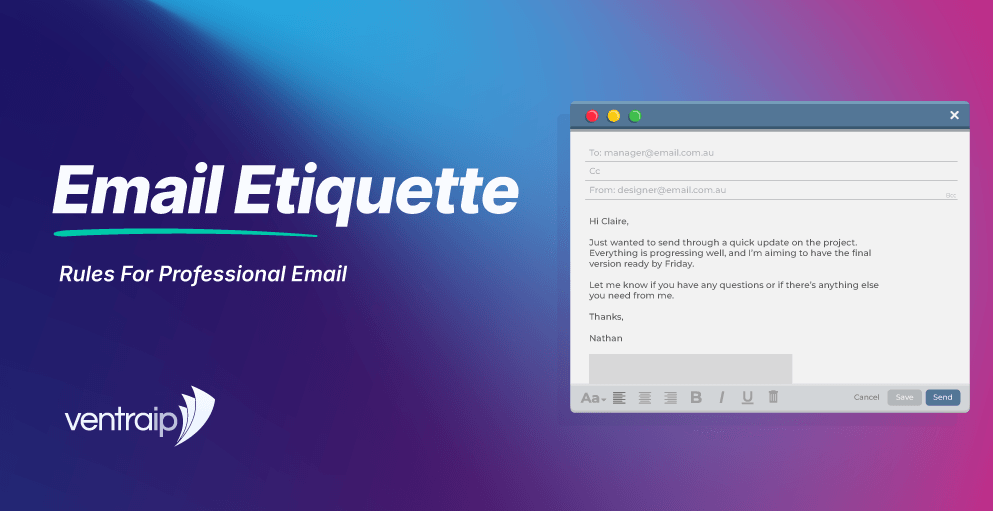
Unclear emails can lead to missed actions, unnecessary back-and-forth and uncertainty for customers. The way your business communicates by email can also influence how professional and reliable it appears.
Good email etiquette gives Australian businesses a consistent way to communicate clearly and professionally. It covers the words you choose, the address you send from, how you handle recipients, when you reply, and how you protect information shared through email.
For sole traders, small businesses, startups, e-commerce businesses and growing teams, those habits become even more useful as email volumes increase. Pairing professional communication practices with an email address that matches your domain can also help customers recognise your business whenever you contact them.
Build Trust with a Professional Email Address
Before a customer reads your message, they usually see your sender name and email address. These details should make it immediately clear who has contacted them.
A professional email address using your business domain, such as hello@yourbusiness.com.au, keeps your correspondence connected to your business identity. It can also look more credible than sending customer enquiries, invoices or account updates from a personal address.
VentraIP offers business email options that let Australian businesses create addresses using their own domain name. Our email services include Business Email Hosting as well as Google Workspace and Microsoft 365 options, giving businesses a choice based on how they prefer to manage email and workplace tools.
Your display name matters too. A name such as “Mia Chen | Northside Plumbing” gives the recipient useful context before they open the message. A first name alone or an unfamiliar abbreviation can be harder to recognise, particularly when someone has never dealt with your business before.
Keep your sender identity consistent across your email, website, and other customer communications. If people know your company as “Northside Plumbing”, using the same business name in their inbox makes your messages easier to identify.
A tidy email signature can reinforce that identity. Depending on your business, it may include:
- Your full name and role
- Business name
- Phone number
- Website
- Relevant business address
Keep the format readable. Large banners, excessive graphics, and long blocks of legal wording can bury the contact details the recipient actually needs.
Email Etiquette Rules That Make Messages Easier to Read
Good business writing respects the recipient’s time. Most people are scanning a busy inbox, so your message should make its purpose obvious without forcing them to read several paragraphs first.
Start with a subject line that describes what the email contains. Instead of vague subjects such as “Update” or “Question”, give the recipient useful context.
For example:
Less useful: Question
Clearer: Question About Invoice 4821
Less useful: Meeting
Clearer: Confirming Tuesday’s Project Meeting
Then use an appropriate greeting and state your purpose early. If you’re making a request for a decision, document or reply, tell the reader what you need before adding supporting information.
Short paragraphs make longer messages easier to scan. Bullets can help when you’re sending several questions or outlining multiple actions, but they shouldn’t turn every email into a checklist.
Your etiquette rules can stay simple:
- Use a descriptive subject line.
- Address the recipient appropriately.
- Explain your purpose early.
- Include enough context for the person to act.
- Keep your tone respectful and direct.
- Check names, dates, links and attachments.
- Make the requested next step clear.
- Confirm the recipient before you press send.
- Reply within a reasonable timeframe.
- Use a consistent professional signature.
These habits apply across customer service, quotes, supplier communication, sales follow-ups, marketing messages, and internal correspondence. They also give growing teams a shared standard for writing professionally rather than leaving every employee to develop their own approach.
Good e-mail etiquette doesn’t mean making every message formal. Sending emails politely comes down to making the message easy to understand, giving the recipient the information they need, and respecting their time.
Choose to, CC, BCC and Reply All Carefully
A well-written message can still cause problems if it’s sent to the wrong person.
Use To for recipients expected to respond, make a decision, or complete an action. If three people appear in the To field, it should be reasonably clear what each person is expected to do.
Use CC when somebody needs visibility but isn’t the main person responsible for acting. Copying people into every conversation “just in case” often creates inbox clutter and can make responsibility less clear.
Use BCC when recipients shouldn’t see each other’s email addresses, such as certain group communications. This can protect recipient privacy while allowing one message to reach several people.
Reply all deserves similar care. Ask whether everyone on the thread genuinely needs your response. If your message is relevant only to the original sender, replying directly can prevent unnecessary email traffic and reduce the chance of sharing something with the wrong audience.
Autocomplete is another common risk. Similar names and previously used addresses can make it easy to choose the wrong recipient when you’re moving quickly.
Before sending emails, take a moment to check the complete recipient list, especially when the message includes customer information, financial details, staff matters, or confidential documents.
| Email Field | When to Use It | What to Check |
|---|---|---|
| To | The recipient needs to act or reply | Is responsibility clear? |
| CC | Someone genuinely needs visibility | Do they need the full conversation? |
| BCC | Recipients shouldn’t see each other’s addresses | Is group email the right channel? |
| Reply all | Everyone on the thread needs your response | Would a direct reply be enough? |
Keep Your Email Tone Professional and Human
Professional doesn’t have to mean stiff.
A good email tone is clear, calm, and appropriate for the relationship you have with the recipient. A long-term customer may expect a warmer style than a new supplier or someone receiving a formal email about an account matter, but the wording should still sound like it comes from your business.
Plain English usually works best.
Instead of:
“Please be advised that we require receipt of the aforementioned documentation at your earliest convenience.”
Try:
“Please send the documents when you can so we can continue processing your request.”
The second version says the same thing without forcing the reader through unnecessary formal language.
The amount of detail you include also affects how a message feels. A reply that’s too brief can seem abrupt, while a long explanation may make a simple request harder to follow. Give the recipient enough context to understand the situation, then make the next step easy to spot. If you’re asking for several things, group related information together so the reader doesn’t have to search through the email.
Think about how your wording might sound without facial expressions or voice cues. Phrases that seem neutral when spoken can feel sharp in writing. Simple courtesies such as “please”, “thanks” and a clear greeting can soften a direct request without making the message overly formal. This matters particularly when you’re communicating with someone for the first time or discussing a delay, complaint, or payment issue.
Avoid unexplained acronyms, excessive jargon, and slang that may confuse customers. Humour also needs judgement. Something that works between close colleagues can land differently when a message is forwarded to another person.
Pay particular attention to tone when the conversation is difficult. If a customer is unhappy, respond to the issue rather than matching their frustration. State what has happened, what you can do, and what the customer should expect next.
Urgency should also come from the situation, not the wording. Repeated capital letters, excessive exclamation marks, and demands for an “IMMEDIATE” response can make legitimate messages resemble unwanted or suspicious email.
Good email communication sounds like a capable person helping another person get something done.
Protect Privacy and Handle Sensitive Email Carefully
Business email may contain customer records, invoices, account information, contracts, and other material that shouldn’t be shared widely.
Before sending sensitive information, confirm that email is an appropriate channel. Limit the recipient list to people who genuinely need access, and check the full address rather than trusting the display name.
If your organisation provides a secure portal or protected file-sharing system for private records, use it instead of placing confidential details directly in the message.
Be cautious when an email requests an unexpected payment, bank-account change, password, or release of sensitive records. Business email compromise can involve messages designed to look as though they came from someone the recipient already trusts. Verifying unusual requests through a known phone number or another established contact channel can reduce the risk of acting on a fraudulent instruction.
Businesses using their own domain can also use email authentication controls. Sender Policy Framework (SPF) helps identify which mail servers are allowed to send email for a domain. DomainKeys Identified Mail (DKIM) adds a digital signature that receiving servers can check, while Domain-based Message Authentication, Reporting and Conformance (DMARC) lets a domain owner set rules for messages that fail those checks.
You don’t need to understand every technical detail to use these protections. They work alongside practical staff habits, such as confirming unusual payment, account, or document requests through a known contact method before taking action.
If you accidentally send information to the wrong recipient, follow your organisation’s privacy or incident process. Avoid forwarding or restating the sensitive information while trying to correct the mistake.
Good email habits and good security habits often go together. Both rely on checking who you’re communicating with and thinking about what you’re sending before it leaves your inbox.
Turn Better Email Habits Into Better Customer Communication
Email etiquette becomes most useful when the whole business follows a consistent approach.
A sole trader may only need a few straightforward habits. A growing company with sales, accounts, and customer service staff may benefit from agreed standards covering sender names, signatures, response expectations, recipient handling, and sensitive information. The same applies when a developer, website professional, or staff member is responsible for managing the organisation’s domains, email, and other online services.
The aim isn’t to make every message identical. It’s to remove avoidable confusion.
For example, your business might decide that customer-facing email should always use domain-based addresses, staff signatures should follow one approved format, and unexpected bank-detail changes must be independently verified.
Response times deserve the same thought. A fast reply is useful, but customers benefit most when they know what to expect. If a detailed answer will take time, a short acknowledgement can confirm that their message was received and explain when someone will respond.
Your email service should also suit the way your team works. VentraIP’s Business Email Hosting gives you custom domain-based addresses that can help your business present a consistent identity, while spam and virus filtering can reduce unwanted or potentially harmful messages. It also works with common email applications, so your team can continue using familiar software.
VentraIP also offers Microsoft 365 and Google Workspace for businesses that want email alongside broader productivity and collaboration tools. If you need help choosing or managing your setup, VentraIP’s Australian support team can provide local assistance.
Business Email Hosting supports common ways of accessing email, including IMAP and POP. These let compatible email applications (e.g. Outlook) connect to your mailbox. For experienced users and people responsible for an organisation’s online services, compatibility, account management, and administrative control may also influence which email setup is the right fit.
Choosing the right option depends on how your team works. A small business that mainly needs professional inboxes may have different requirements from an e-commerce business or growing company that wants email, shared documents, calendars, and collaboration tools in one service.
Frequently Asked Questions About Email Etiquette
- What are the five rules of email etiquette?
Five useful rules are to write a clear subject line, state your purpose early, use a professional tone, check the recipient before sending, and make the next action obvious. Proofreading names, dates, and attachments also helps prevent avoidable mistakes.
- What are the 10 rules of email etiquette?
Common rules include using a professional sender identity, writing descriptive subject lines, greeting the recipient appropriately, keeping messages concise, using a respectful tone, checking spelling and details, attaching promised files, choosing recipients carefully, replying within a reasonable period, and including a useful signature.
- What makes a good email for business?
A good email tells the recipient who sent it, why they’re receiving it, and what needs to happen next. It should be easy to read, accurate, and written in a tone that suits the situation.
- Should businesses use a domain-based email address?
Using an address that matches your domain gives customers a consistent connection between your inbox and your business identity. For example, an address such asaccounts@yourbusiness.com.auimmediately tells the recipient which organisation has contacted them.
- When should I use CC and BCC?
Use CC when someone needs to see the conversation but isn’t responsible for the main action. Use BCC when recipients shouldn’t see one another’s addresses. Always consider whether each recipient needs to receive the message before adding them.
- How should I respond to an angry customer by email?
Keep your professional tone, address the problem directly, and avoid defensive language. Explain what you can do, what will happen next, and when the customer should expect another update.
- What should I do if I email the wrong person?
Follow your organisation’s privacy or security process promptly. Where appropriate, contact the unintended recipient and ask them not to use, save, or forward the information. Avoid repeating confidential details in your correction.
- How can businesses make email safer?
Use strong account security, check unusual requests independently, and limit sensitive information to the people who need it. Businesses using domain-based email can also configure authentication measures such as SPF, DKIM, and DMARC.
Make Every Business Email Look Like Your Business with VentraIP
The way you write matters, but so does the identity behind the message.
A professional email address using your own domain gives customers a clear connection between your inbox and your business. VentraIP provides Australian business email hosting with custom email addresses, spam and virus filtering, flexible mailbox options, and support from an Australian team. Businesses that need a wider set of workplace tools can also choose Google Workspace or Microsoft 365 through VentraIP.
If you’re currently using another provider, VentraIP can help migrate eligible email services to Business Email Hosting and Microsoft 365, while some services and migration types may require a manual transfer.
View VentraIP’s business email options to compare Business Email Hosting, Google Workspace, and Microsoft 365, then choose the setup that suits the way your team works.

