
Browse by Popular

Domain Name
- What is a domain name?Eligibility criteria for registering .AU domain namesPremium domain names explained

Web Hosting
View All
Email Hosting
- Outlook 365 (Classic) Email Setup GuideMail app setup for iOS (iPhone + iPad)Gmail (webmail) email setup

Google Workspace
- Getting Started with Google WorkspaceGoogle Workspace support resourcesTransferring an existing Google Workspace service to VentraIP

Account
- How do I reset my VIPcontrol password?How do I create a VentraIP account?How can I see who accessed my VentraIP account?

Troubleshooting
- How do I clear my browser cache?Troubleshooting a ‘500 internal server' errorTroubleshooting with a ping test
Getting Started with rippaMarketing
VentraIP is now offering marketing tools called rippaMarketing to help boost your businesses visibility on the web and drive growth. This guide will go through the initial setup and logging into the service for the first time!
If you haven’t already purchased a rippaMarketing service, please navigate here to do so.
Initial setup
Once you have purchased your rippaMarketing services, please follow the steps below:
- Log into VIPcontrol
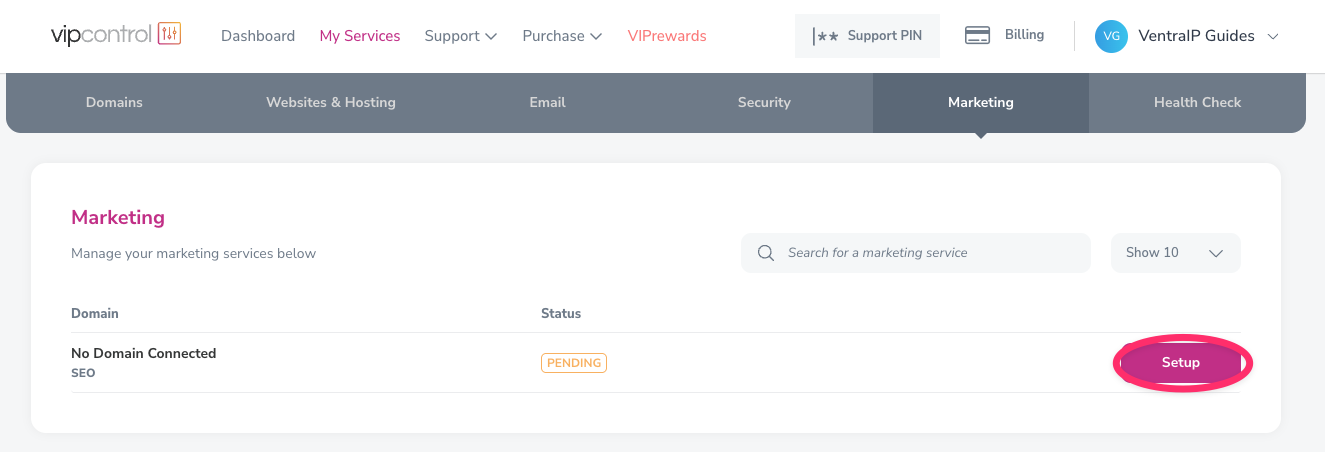
- Go to My Services -> Marketing.
- Click Setup next to your pending service to start the setup process. You will then be prompted to add your domain that you would like to use.
- Select ‘A domain with VentraIP‘ if your domain is within your account with us, otherwise choose ‘A domain with another provider‘.
- Enter the domain that you would like to use and click on ‘Confirm’. Your service will initialise under your domain.
- All done, you should now be able to login and start using rippaMarketing!
Logging into rippaMarketing & first time setup
- Log into VIPcontrol.
- Navigate to My Services -> Marketing.
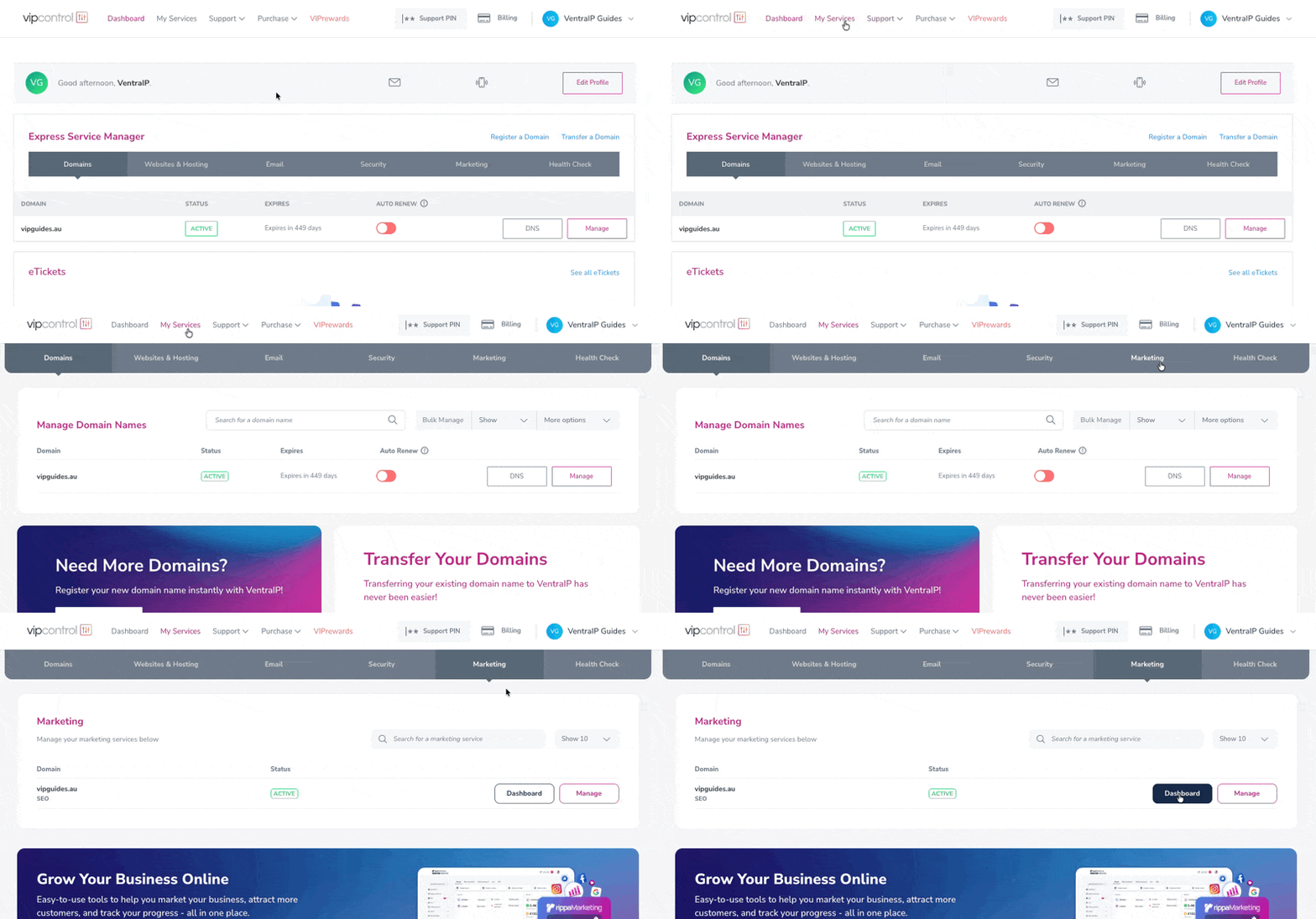
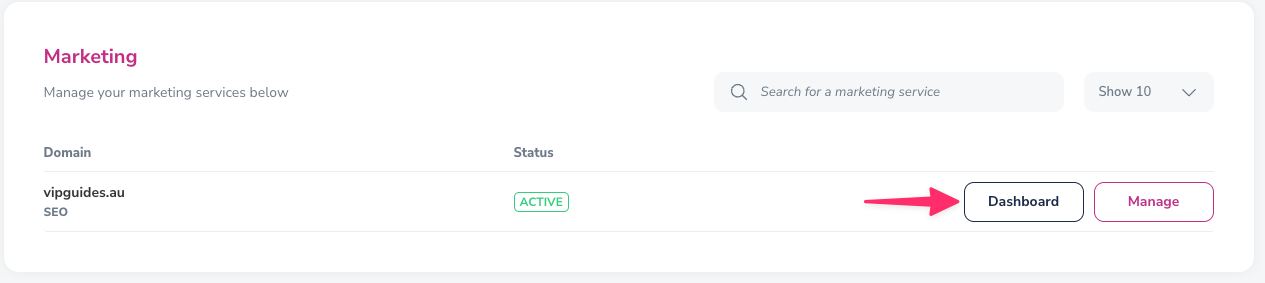
- Click on the Dashboard button next to your service to login.
- From there, a new window will open with a prompt to enter a project name, and country that your business resides, we recommend naming it the same as your business name to make it easier.
- After entering your project name, you will be prompted to search for your business on the map, select your business and continue.
- Next, add keywords that relate or relevant to your business, and next the industries that your business is in.
- You will then be able to add your competitors website to monitor, Rippa will also search for potential competitors to select from.
- Next you will see a summary of your business profile, after confirming that the information is correct, click next.
- From there, you will be asked if you would like to setup a Google Business Profile, follow the prompts to connect and complete the setup.
- After your profile is created, you’ll be greeted with the dashboard and you can start marketing your business!
Where to find support
Our support team at VentraIP are also here to help or point you in the right direction with rippaMarketing.
While we aren’t able to provide direct SEO advice or marketing decisions, feel free to submit a support eTicket with an explanation on what you may be doing and any errors/issues you encounter and we’ll do our best to help out or point you in the right direction.
