
Support Centre
Find the answers to your questions and get the support you need with the VentraIP help centre.
Browse by Popular

Domain Name
- What is a domain name?Eligibility criteria for registering .AU domain namesPremium domain names explained

Web Hosting
View All
Email Hosting
- Outlook 365 (Classic) Email Setup GuideMail app setup for iOS (iPhone + iPad)Gmail (webmail) email setup

Google Workspace
- Getting Started with Google WorkspaceGoogle Workspace support resourcesTransferring an existing Google Workspace service to VentraIP

Account
- How do I reset my VIPcontrol password?How do I create a VentraIP account?How can I see who accessed my VentraIP account?

Troubleshooting
- How do I clear my browser cache?Troubleshooting a ‘500 internal server' errorTroubleshooting with a ping test
Removing additional users from VIPcontrol
Removing a user from your account is easy, here are the steps you need to take:
- Log in to VIPcontrol as the account holder.
- Click on the drop-down menu at the top right of your account.
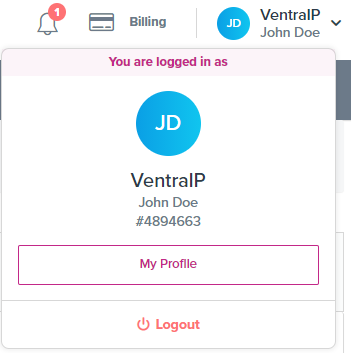
- Click My Profile.
- Scroll down to the Account Access section.
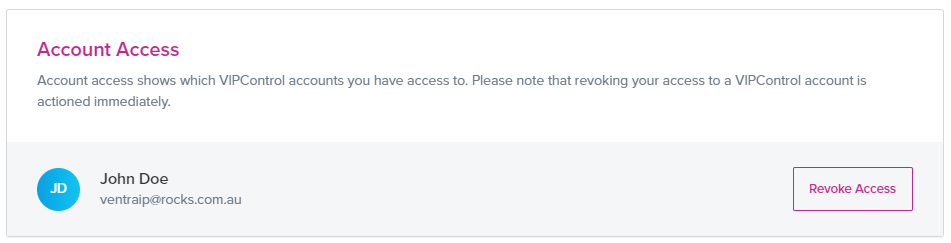
- Click Revoke Access next to the user you want to remove.

We Are Here to Help You
Get in touch with one of our local experts at any time.