
Support Centre
Find the answers to your questions and get the support you need with the VentraIP help centre.
Browse by Popular

Domain Name
- What is a domain name?Eligibility criteria for registering .AU domain namesPremium domain names explained

Web Hosting
View All
Email Hosting
- Outlook 365 (Classic) Email Setup GuideMail app setup for iOS (iPhone + iPad)Gmail (webmail) email setup

Google Workspace
- Getting Started with Google WorkspaceGoogle Workspace support resourcesTransferring an existing Google Workspace service to VentraIP

Account
- How do I reset my VIPcontrol password?How do I create a VentraIP account?How can I see who accessed my VentraIP account?

Troubleshooting
- How do I clear my browser cache?Troubleshooting a ‘500 internal server' errorTroubleshooting with a ping test
Axigen Mobile App Email Software Setup for iOS and Android
This guide explains how to set up your mail account in the Axigen application for iOS or Android.
Note: This guide is only for Business Email Hosting email accounts.
- Open the Axigen app.
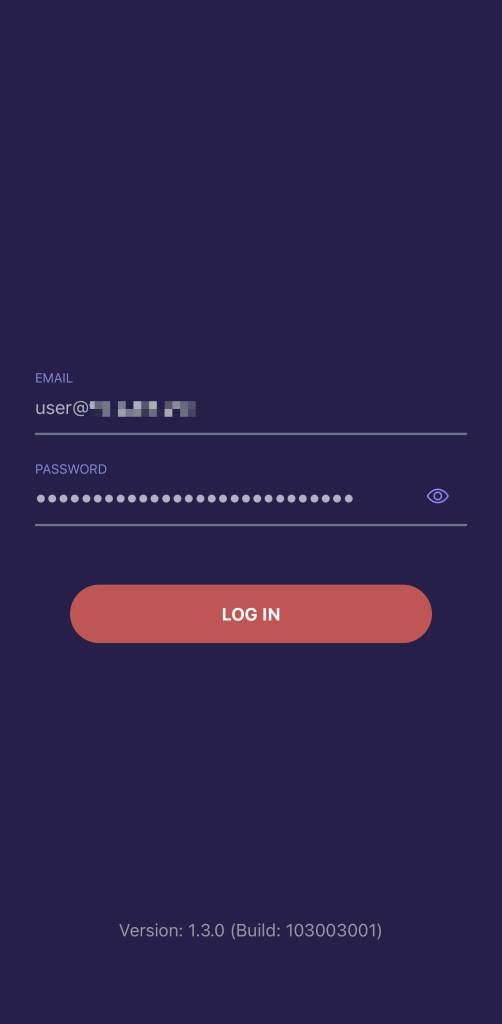
- You will be presented with a login page, enter the following information:
- Email: Enter your email address (e.g,
user@example.com) - Password: Your email address password (Forgotten your password? Click here to reset it)
- Email: Enter your email address (e.g,
- Once you have entered your email account and password, click ‘Log in’.
- Next, enter
ventraip.emailunder ‘Your Site URL’ and click ‘Continue’.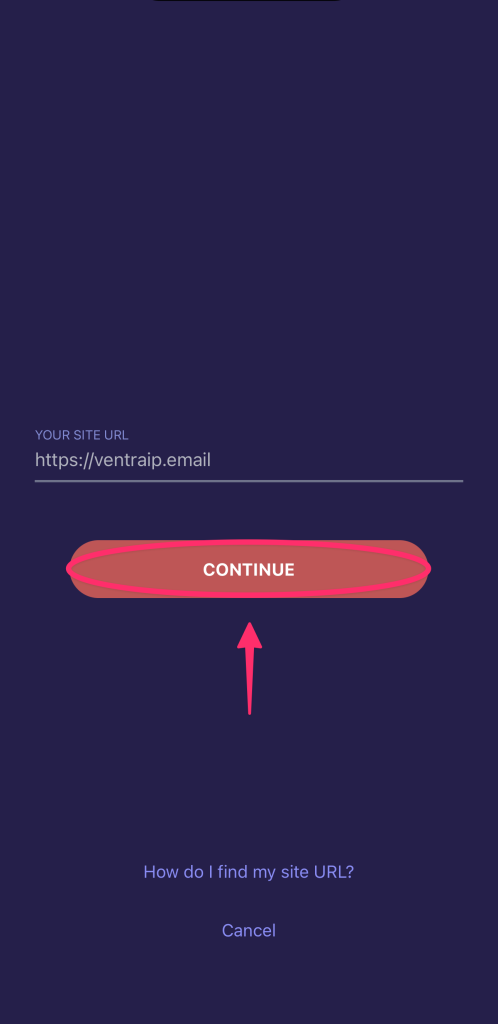
- All done!
With the Axigen app, it may log you out after 24 hours as the app is still in beta with Axigen. When this happens, you only need to re-enter your email password to login again.
Still having issues getting set up?
While our support for third-party email software is limited, we’re happy to help where possible!
If you encounter any errors during configuration, please submit an eTicket with screenshots of both any error messages and your configuration settings so we can assist you.
For advanced troubleshooting needs, please consult a local IT technician or contact the software vendor directly.

We Are Here to Help You
Get in touch with one of our local experts at any time.