
Support Centre
Find the answers to your questions and get the support you need with the VentraIP help centre.
Browse by Popular

Domain Name
- What is a domain name?Eligibility criteria for registering .AU domain namesPremium domain names explained

Web Hosting
View All
Email Hosting
- Outlook 365 (Classic) Email Setup GuideMail app setup for iOS (iPhone + iPad)Gmail (webmail) email setup

Google Workspace
- Getting Started with Google WorkspaceGoogle Workspace support resourcesTransferring an existing Google Workspace service to VentraIP

Account
- How do I reset my VIPcontrol password?How do I create a VentraIP account?How can I see who accessed my VentraIP account?

Troubleshooting
- How do I clear my browser cache?Troubleshooting a ‘500 internal server' errorTroubleshooting with a ping test
Resetting A Microsoft 365 User Account’s Password
To reset a Microsoft 365 users password, follow these steps:
- Sign into the Microsoft Admin Centre as a user that has the Entra admin user or Global Administrator.
- Navigate to ‘Users’ → ‘Active Users’ on the left hand navigation pane.
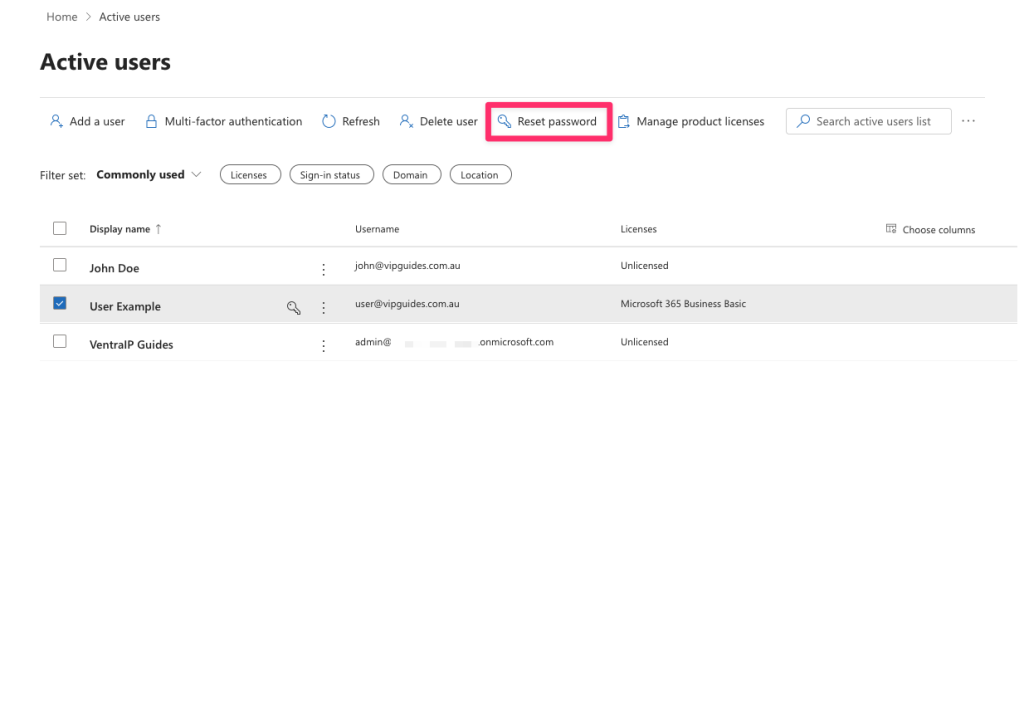
- Select the user you would like to reset the password for and click on the ‘Reset password’ button at the top.
- Select whether to automatically create a password or manually set a secure password for them and or whether to update their password once they sign in again.
- Click ‘Reset Password’ at the bottom.
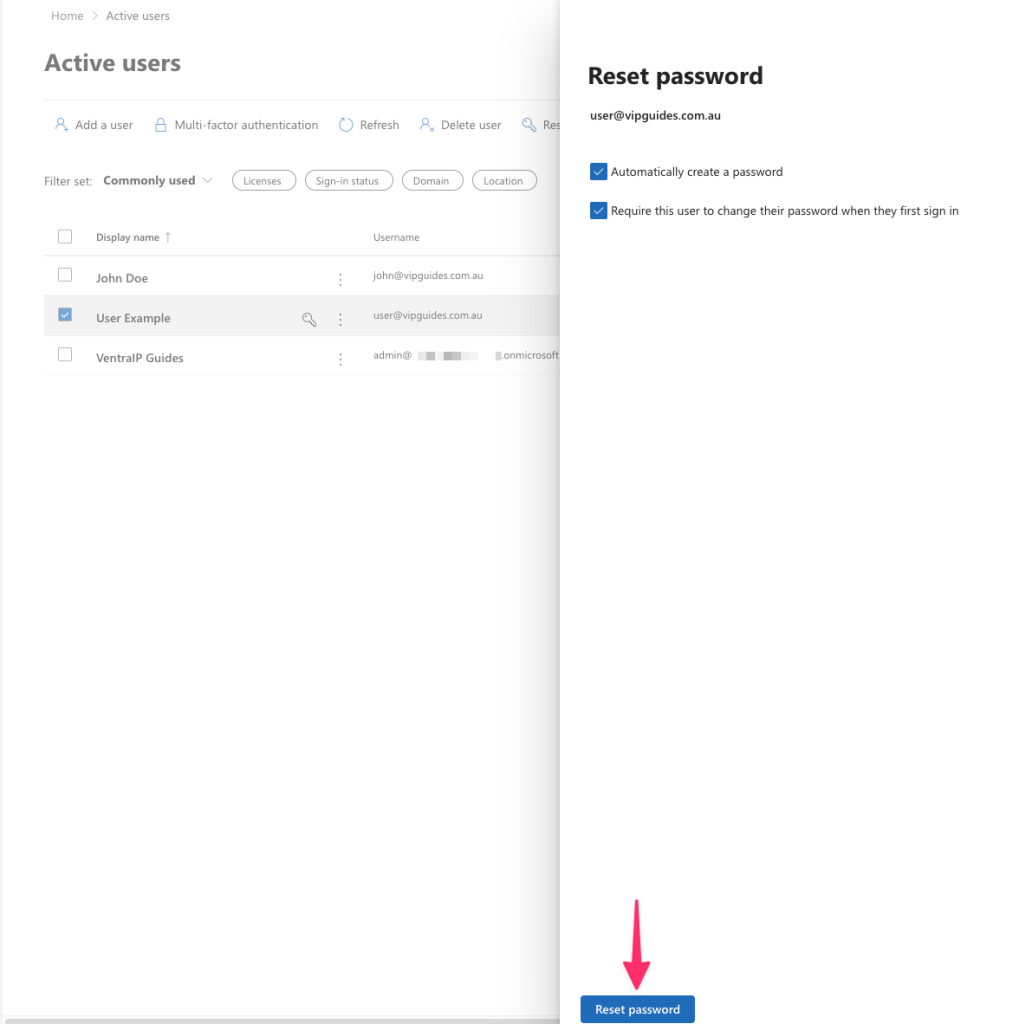
- All done! You can provide the password to them securely or print it out!

We Are Here to Help You
Get in touch with one of our local experts at any time.