
Support Centre
Find the answers to your questions and get the support you need with the VentraIP help centre.
Browse by Popular

Domain Name
- What is a domain name?Eligibility criteria for registering .AU domain namesPremium domain names explained

Web Hosting
View All
Email Hosting
- Outlook 365 (Classic) Email Setup GuideMail app setup for iOS (iPhone + iPad)Gmail (webmail) email setup

Google Workspace
- Getting Started with Google WorkspaceGoogle Workspace support resourcesTransferring an existing Google Workspace service to VentraIP

Account
- How do I reset my VIPcontrol password?How do I create a VentraIP account?How can I see who accessed my VentraIP account?

Troubleshooting
- How do I clear my browser cache?Troubleshooting a ‘500 internal server' errorTroubleshooting with a ping test
How to Update Contact Information on cPanel
If you need to update the contact information on your cPanel Hosting service (Select Hosting) you will need to log into cPanel directly to do this.
You can log into your cPanel Hosting service directly from your VIPcontrol account via the following steps:
A. Click on the My Services option on the top-left of the page > select Hosting from the tabs below.
B. You then just click the cPanel button for the hosting service that you wish to access.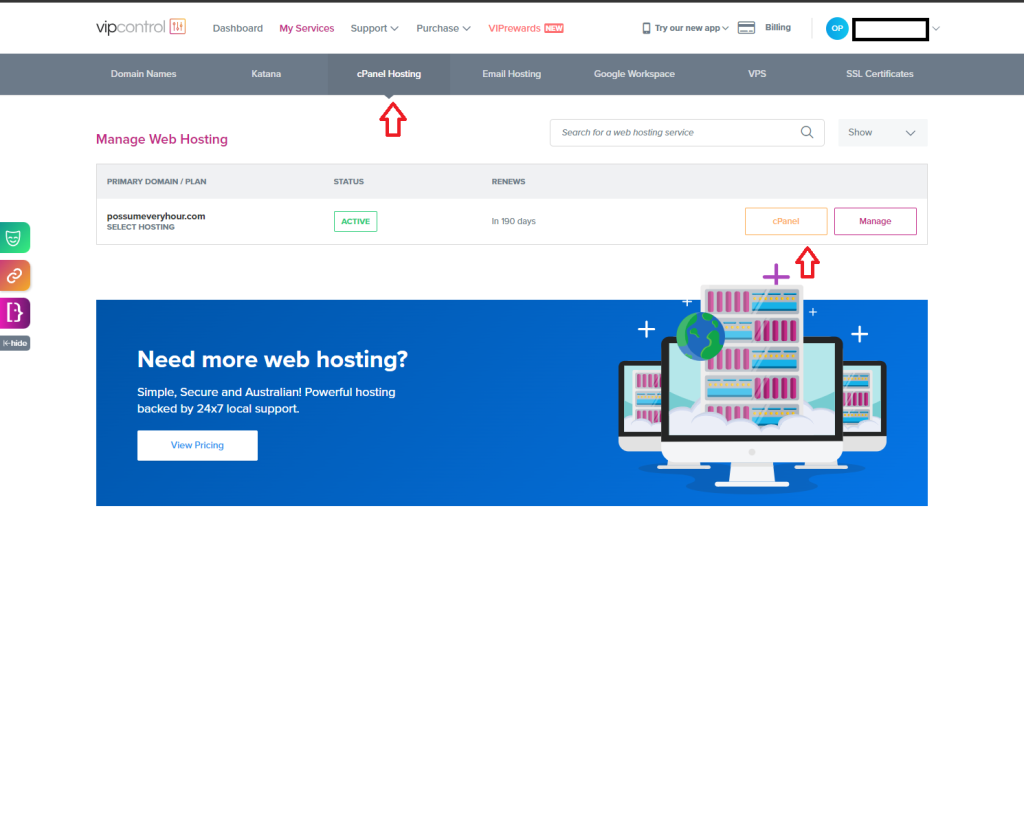
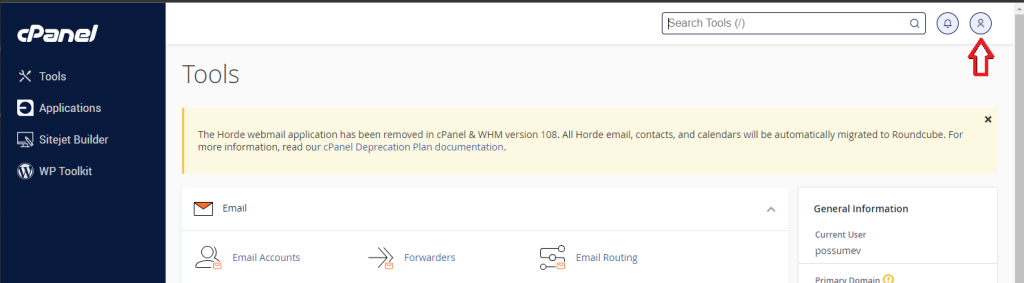
Once you are logged into cPanel you can then update your contact details via the following steps:
- When you’re logged into cPanel you would click on the Person Icon in the top right hand corner of the page and then click on the Contact Information option in the dropdown list that appears:
- Then on the Contact Information Page you can make any changes you like to the contact details in cPanel and update them as needed from there:
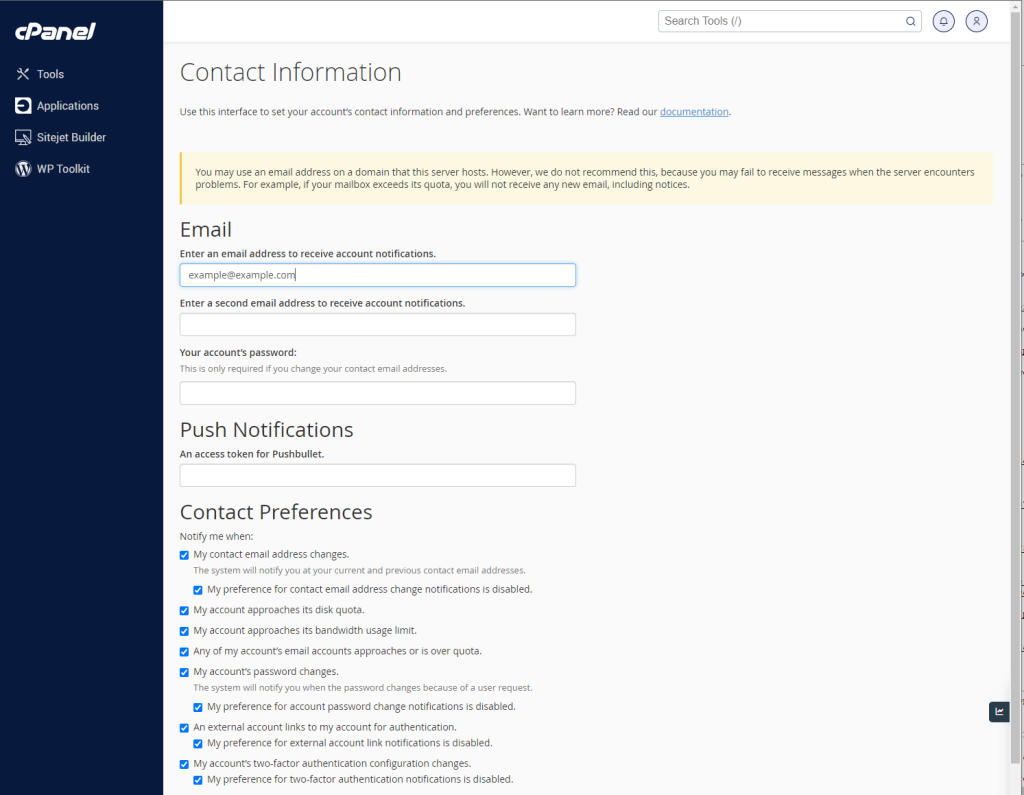
- Once you have made the changes you needed to make, just make sure to click the blue button that says Save at the bottom of the page and your done!

We Are Here to Help You
Get in touch with one of our local experts at any time.