


Support Centre
Find the answers to your questions and get the support you need with the VentraIP help centre.
Browse by Popular

Domain Name
- What is a domain name?Eligibility criteria for registering .AU domain namesPremium domain names explained

Web Hosting
View All
Email Hosting
- Outlook 365 (Classic) Email Setup GuideMail app setup for iOS (iPhone + iPad)Gmail (webmail) email setup

Google Workspace
- Getting Started with Google WorkspaceGoogle Workspace support resourcesTransferring an existing Google Workspace service to VentraIP

Account
- How do I reset my VIPcontrol password?How do I create a VentraIP account?How can I see who accessed my VentraIP account?

Troubleshooting
- How do I clear my browser cache?Troubleshooting a ‘500 internal server' errorTroubleshooting with a ping test
Quickstart Guide for Your New Web Hosting Service
This guide will go over setting up your new hosting service, and installing WordPress.
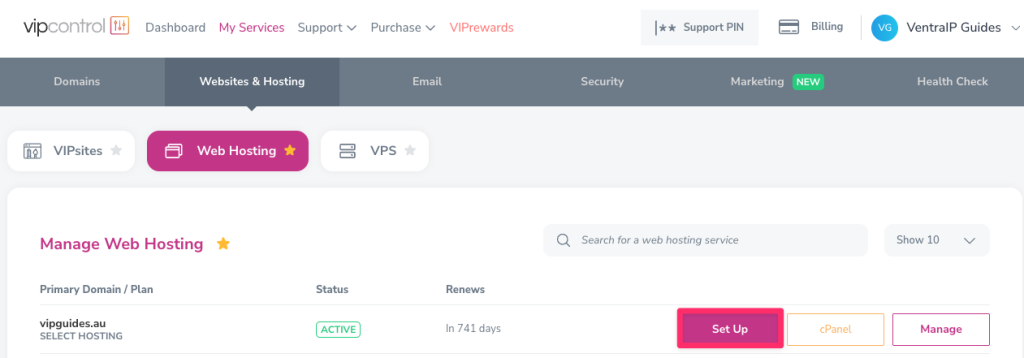
- Go to My Services → Web Hosting and click on the ‘Set Up‘ button.
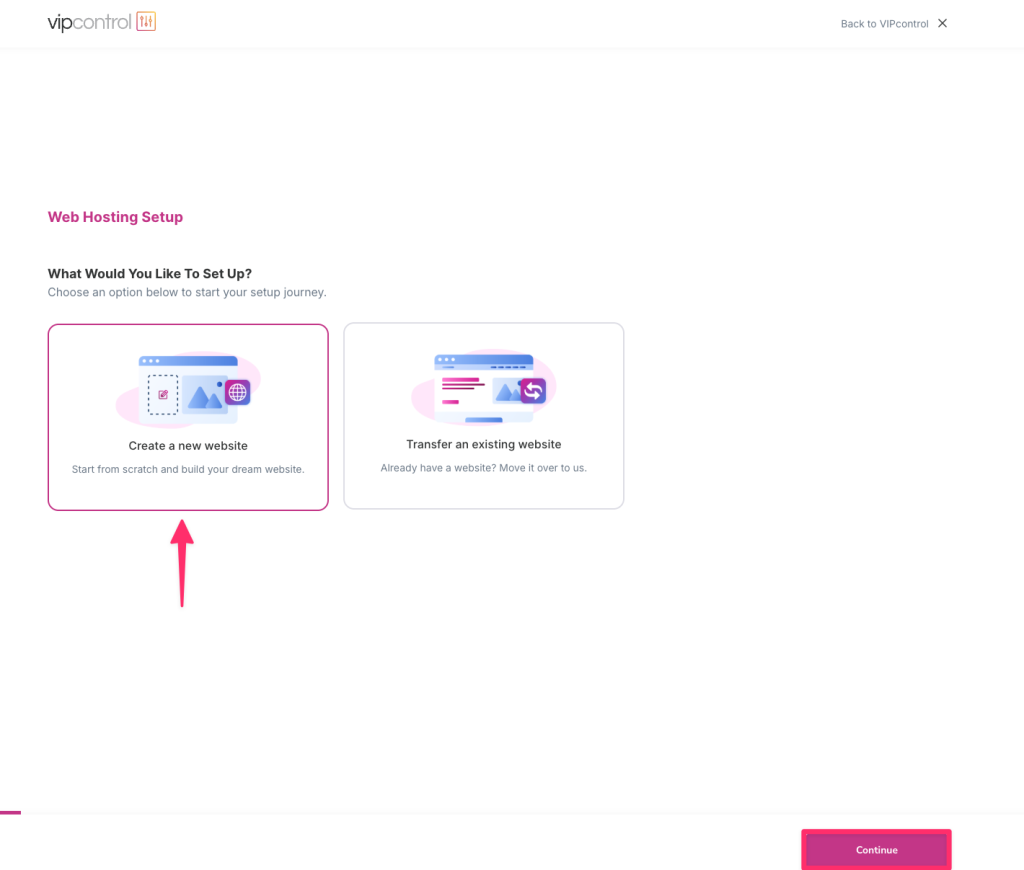
- Next, choose what you would like to setup. If you’re migrating from another provider, choose the transfer option, otherwise click on ‘Create a new website’ and click ‘Continue’.
- Our system will detect your domains current DNS configuration and ask if you would like to use your domain, or proceed with using a temporary domain instead in cause you’re not quite ready to go live yet.
- If your domain is hosted with us, it will prompt to automatically add the required DNS records to connect the domain up to your hosting service, otherwise it will let you know which records to add with your DNS hosting provider. You’ll be able to see your temporary domain here if selected earlier.
- Click ‘Continue’ once the DNS records are added.
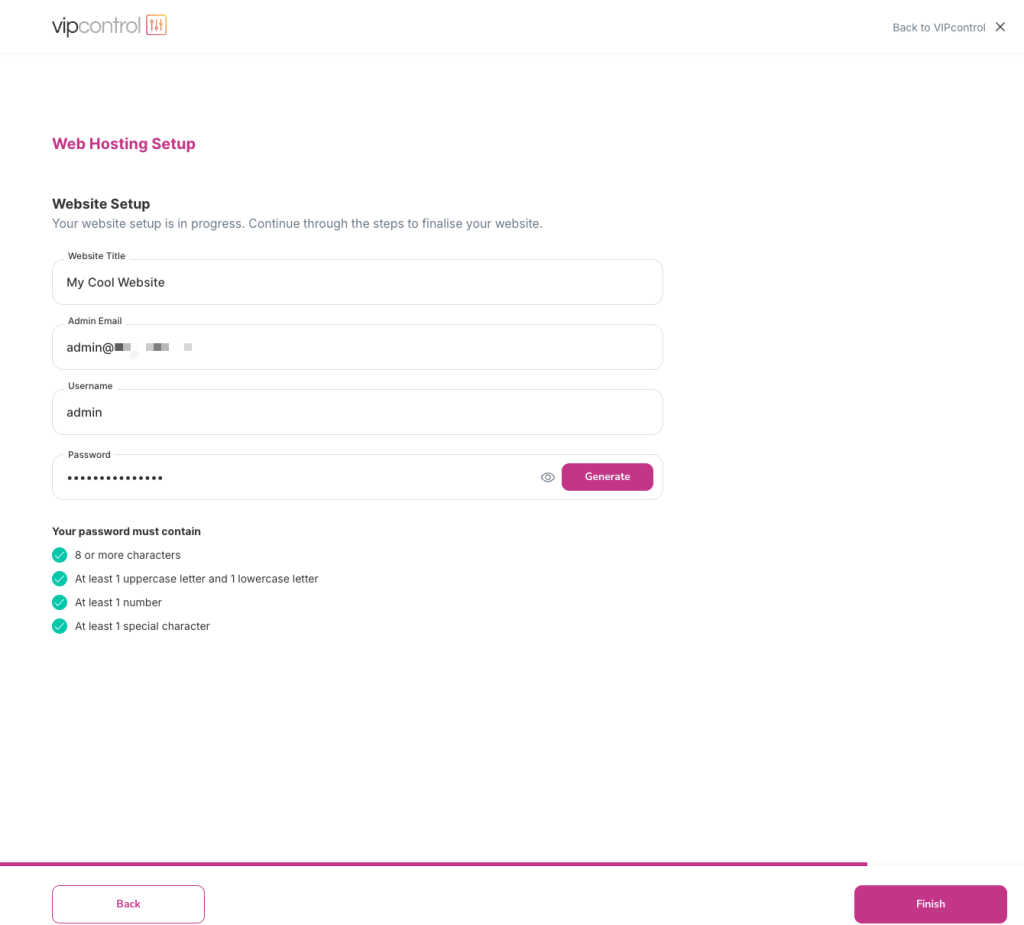
- Next, fill out your website details, this will be your WordPress login details. Click ‘Finish’.
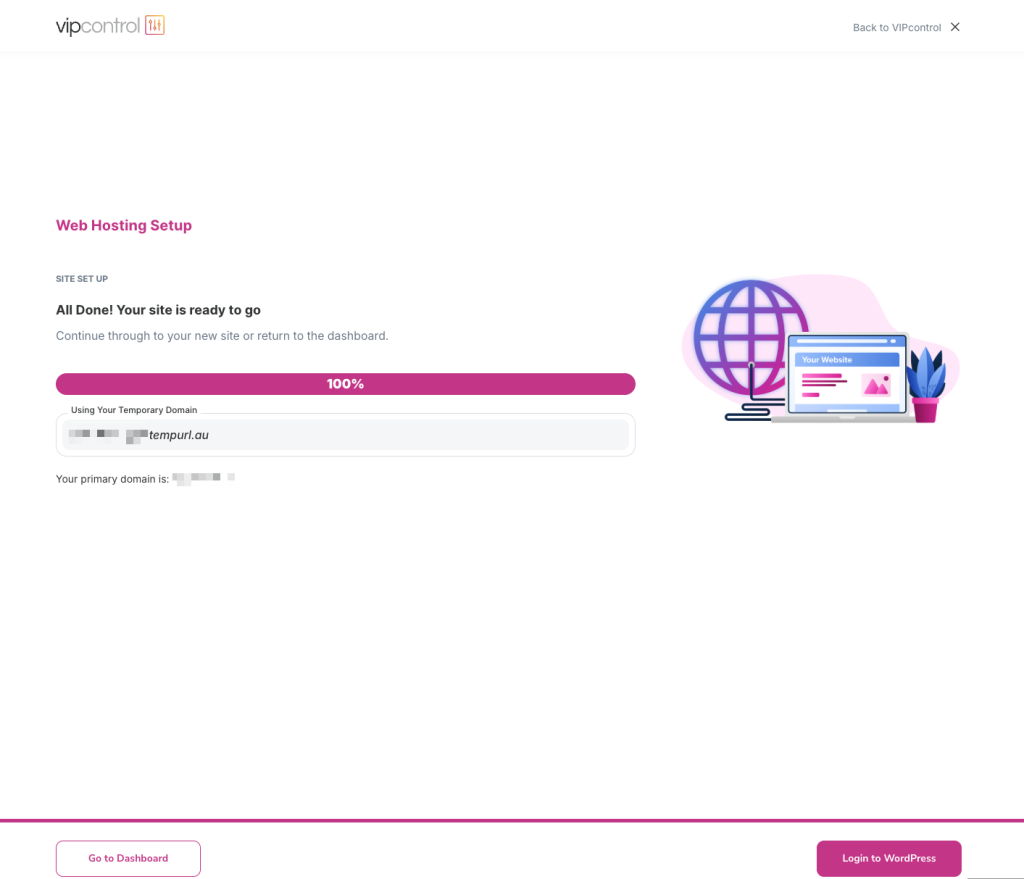
- That’s it! From there, it will install WordPress and once its complete, you’re able to go straight into building your website!

We Are Here to Help You
Get in touch with one of our local experts at any time.