
Support Centre
Find the answers to your questions and get the support you need with the VentraIP help centre.
Browse by Popular

Domain Name
- What is a domain name?Eligibility criteria for registering .AU domain namesPremium domain names explained

Web Hosting
View All
Email Hosting
- Outlook 365 (Classic) Email Setup GuideMail app setup for iOS (iPhone + iPad)Gmail (webmail) email setup

Google Workspace
- Getting Started with Google WorkspaceGoogle Workspace support resourcesTransferring an existing Google Workspace service to VentraIP

Account
- How do I reset my VIPcontrol password?How do I create a VentraIP account?How can I see who accessed my VentraIP account?

Troubleshooting
- How do I clear my browser cache?Troubleshooting a ‘500 internal server' errorTroubleshooting with a ping test
Troubleshooting a ‘Self-signed’ error when running AutoSSL
Remove the expired certificate first
After running AutoSSL (see steps below), if you are seeing an error saying that there was a problem, you may need to remove an existing expired certificate.
Here are the steps you need to take to remove the expired SSL:
- Log in to cPanel.
- Click on SSL/TLS Certificates under Security.
- Click the Installation tab.
- Under Manage Installed SSL Websites, click Uninstall next to the domain name(s) you’re wanting to install AutoSSL on.
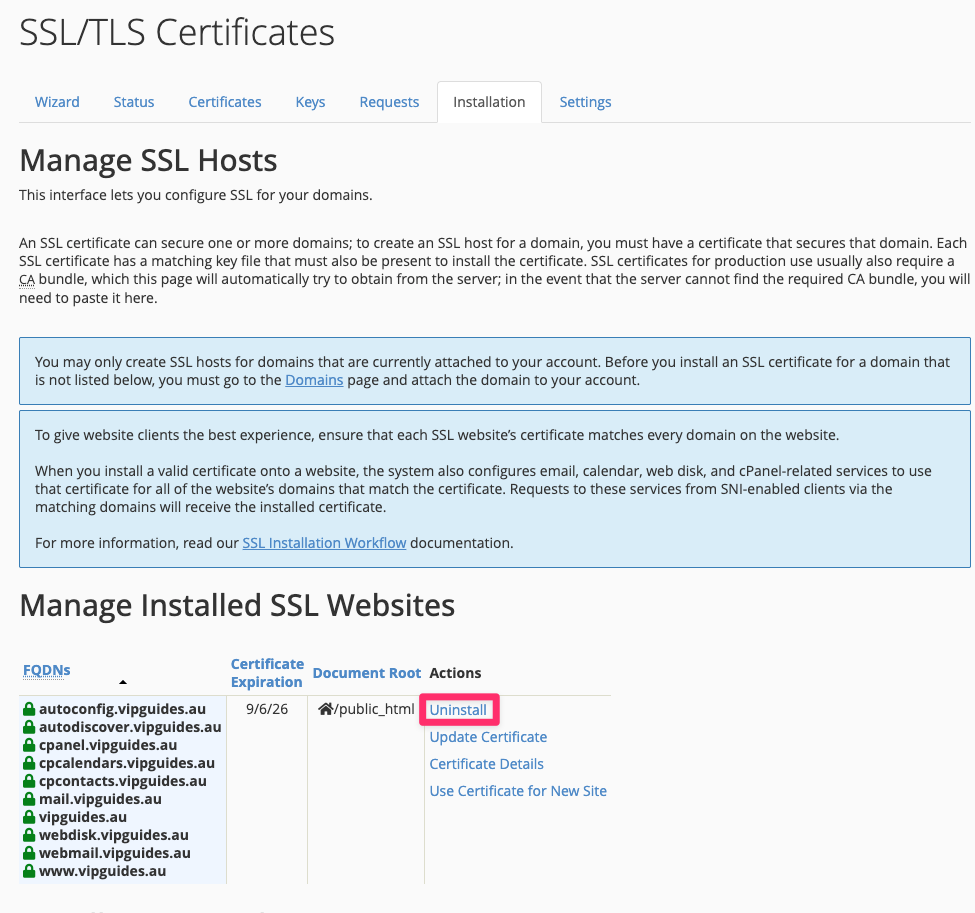
Once you’ve done that, complete the steps under Running AutoSSL below.
Run AutoSSL
- Go back to cPanel.
- Click on SSL/TLS Certificates under Security.
- Click the Status tab, then click the ‘Run AutoSSL’ button.
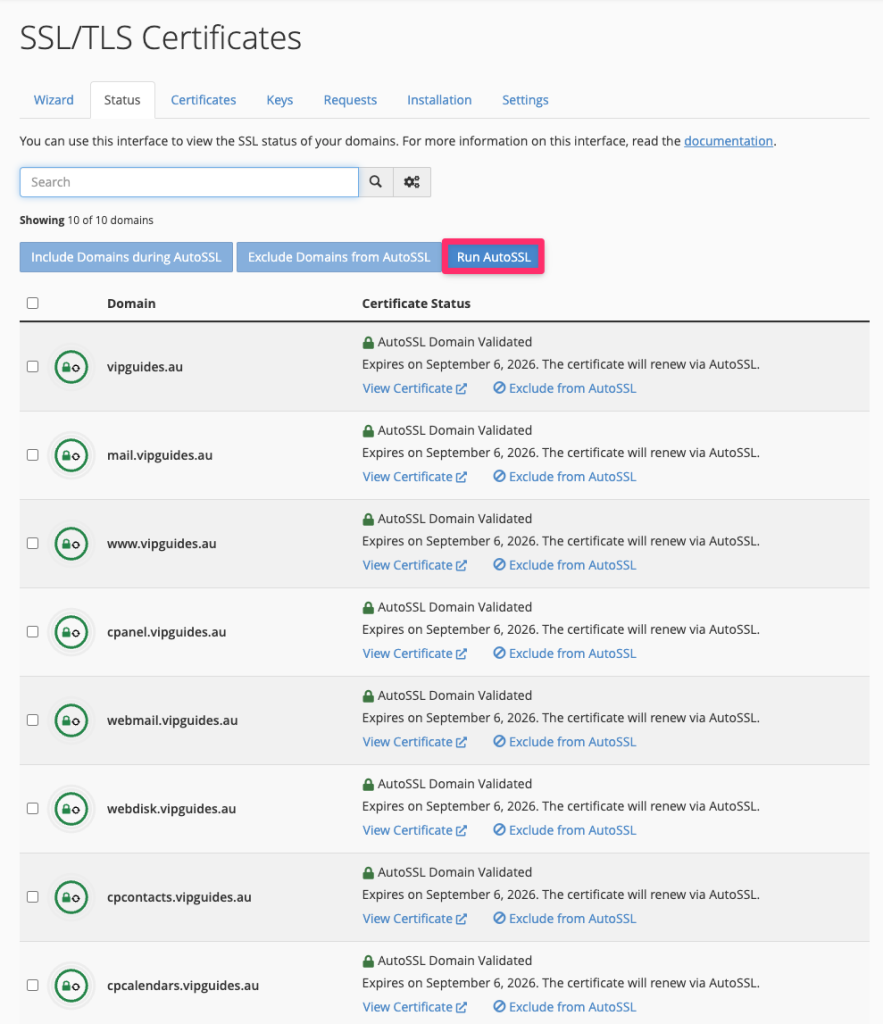
The process will take 1-5 minutes before producing a result.

We Are Here to Help You
Get in touch with one of our local experts at any time.