


Support Centre
Find the answers to your questions and get the support you need with the VentraIP help centre.
Browse by Popular

Domain Name
- What is a domain name?Eligibility criteria for registering .AU domain namesPremium domain names explained

Web Hosting
View All
Email Hosting
- Outlook 365 (Classic) Email Setup GuideMail app setup for iOS (iPhone + iPad)Gmail (webmail) email setup

Google Workspace
- Getting Started with Google WorkspaceGoogle Workspace support resourcesTransferring an existing Google Workspace service to VentraIP

Account
- How do I reset my VIPcontrol password?How do I create a VentraIP account?How can I see who accessed my VentraIP account?

Troubleshooting
- How do I clear my browser cache?Troubleshooting a ‘500 internal server' errorTroubleshooting with a ping test
How to cancel your VIPsites Website?
How to cancel your VIPsites Website
In the event you wish to cancel your hosting service, you will need to fill out and submit one of our cancellation request forms:
- Log in to VIPcontrol.
- Navigate to My Services > Websites & Hosting > VIPsites
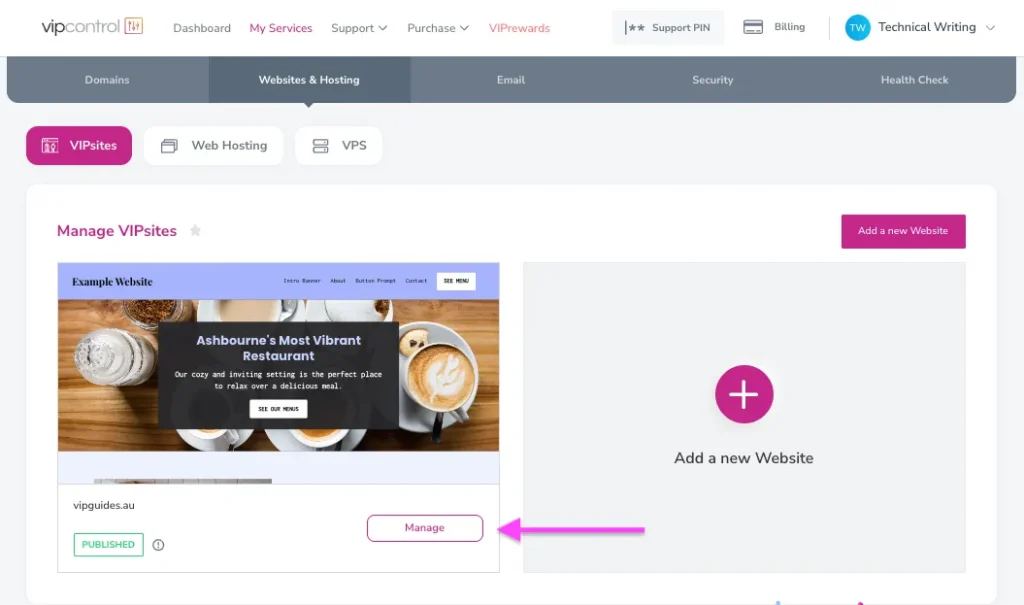
- Click Manage next to your hosting service.
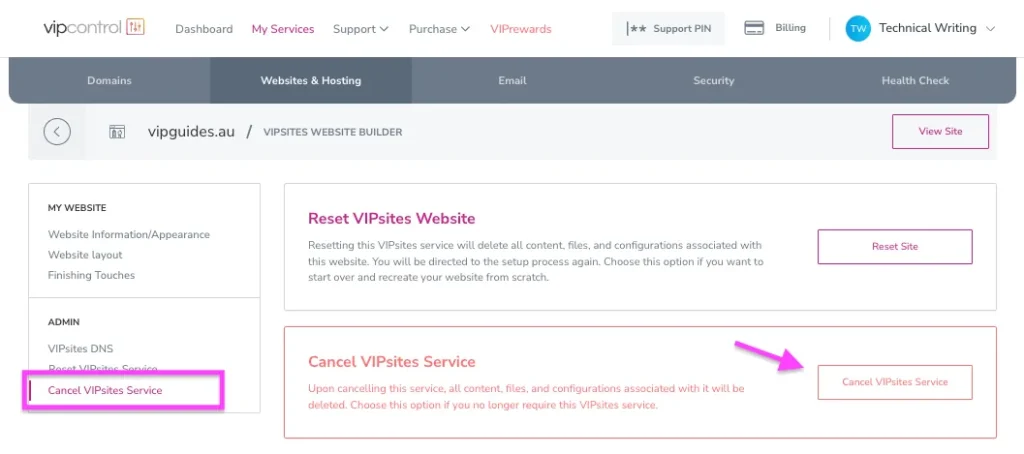
- You will then find the Cancel VIPsites Service option under the Admin section on the left side.
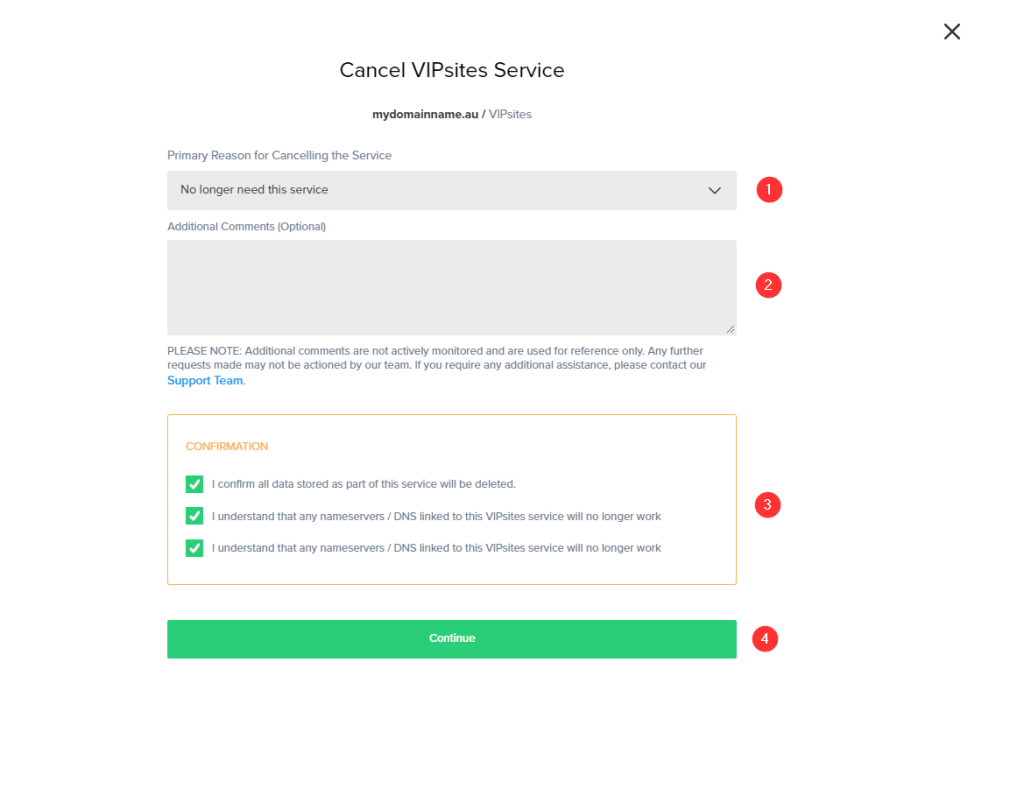
- This will present a form to cancel the service, please be sure to select a Primary Reason and accept the Confirmations.
NOTE: For account security purposes and due to our general policies, cancellations will not be accepted via email or phone communication.
What happens next?
Once received, your request will be automatically processed during our next deletion cycle, which usually occurs at approximately 11AM each day.
Your cancellation will be sent in the form of an eTicket to the Accounts and Billing team. Our team will review the payments made on this service and issue a refund or credit where some pre-paid time is left on the service.

We Are Here to Help You
Get in touch with one of our local experts at any time.