


Support Centre
Find the answers to your questions and get the support you need with the VentraIP help centre.
Browse by Popular

Domain Name
- What is a domain name?Eligibility criteria for registering .AU domain namesPremium domain names explained

Web Hosting
View All
Email Hosting
- Outlook 365 (Classic) Email Setup GuideMail app setup for iOS (iPhone + iPad)Gmail (webmail) email setup

Google Workspace
- Getting Started with Google WorkspaceGoogle Workspace support resourcesTransferring an existing Google Workspace service to VentraIP

Account
- How do I reset my VIPcontrol password?How do I create a VentraIP account?How can I see who accessed my VentraIP account?

Troubleshooting
- How do I clear my browser cache?Troubleshooting a ‘500 internal server' errorTroubleshooting with a ping test
Mail app setup for iOS (iPhone + iPad)
Mail for iOS Setup
This guide explains how to set up your email in Apple Mail on iOS. These instructions apply to both cPanel and Dedicated Email Hosting accounts.
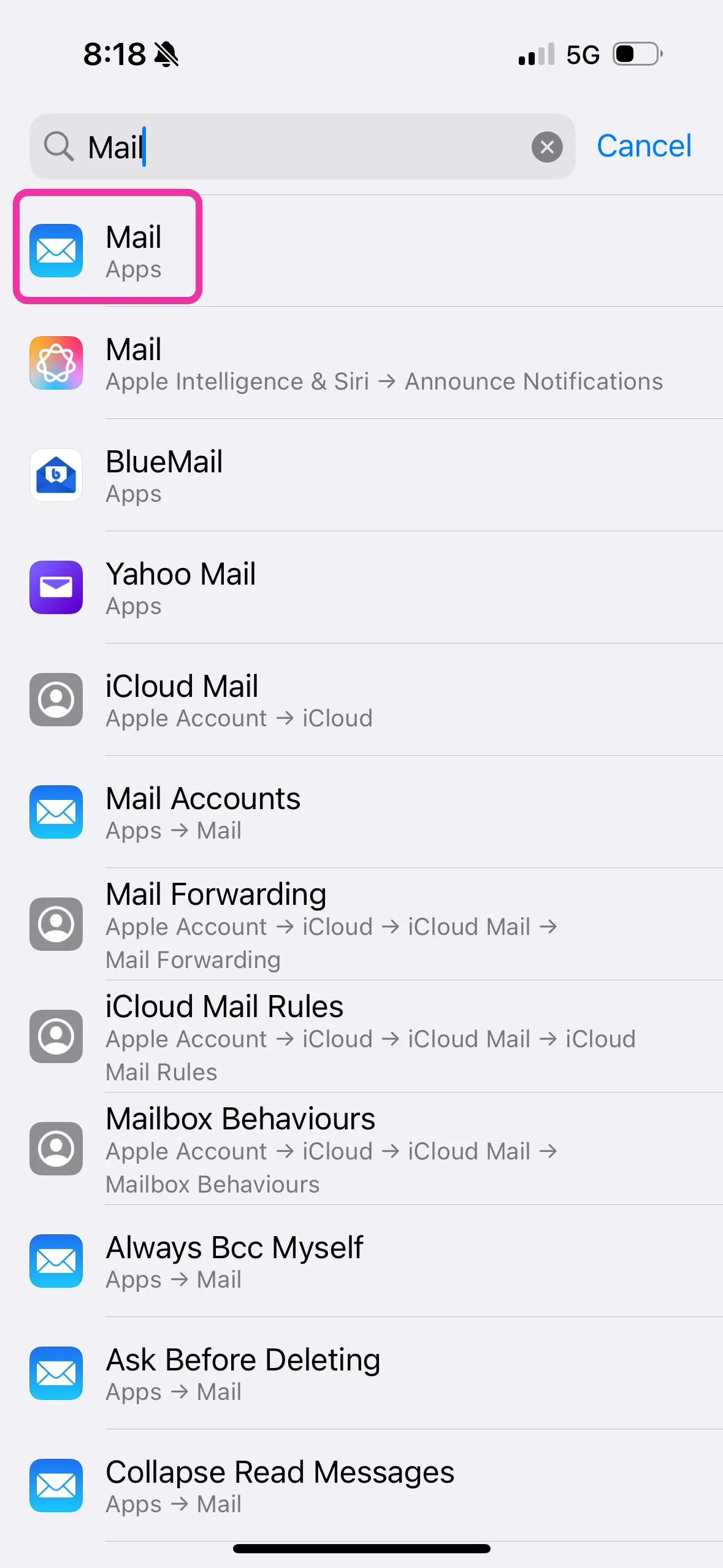
1. Open Settings and Search for ‘Mail’
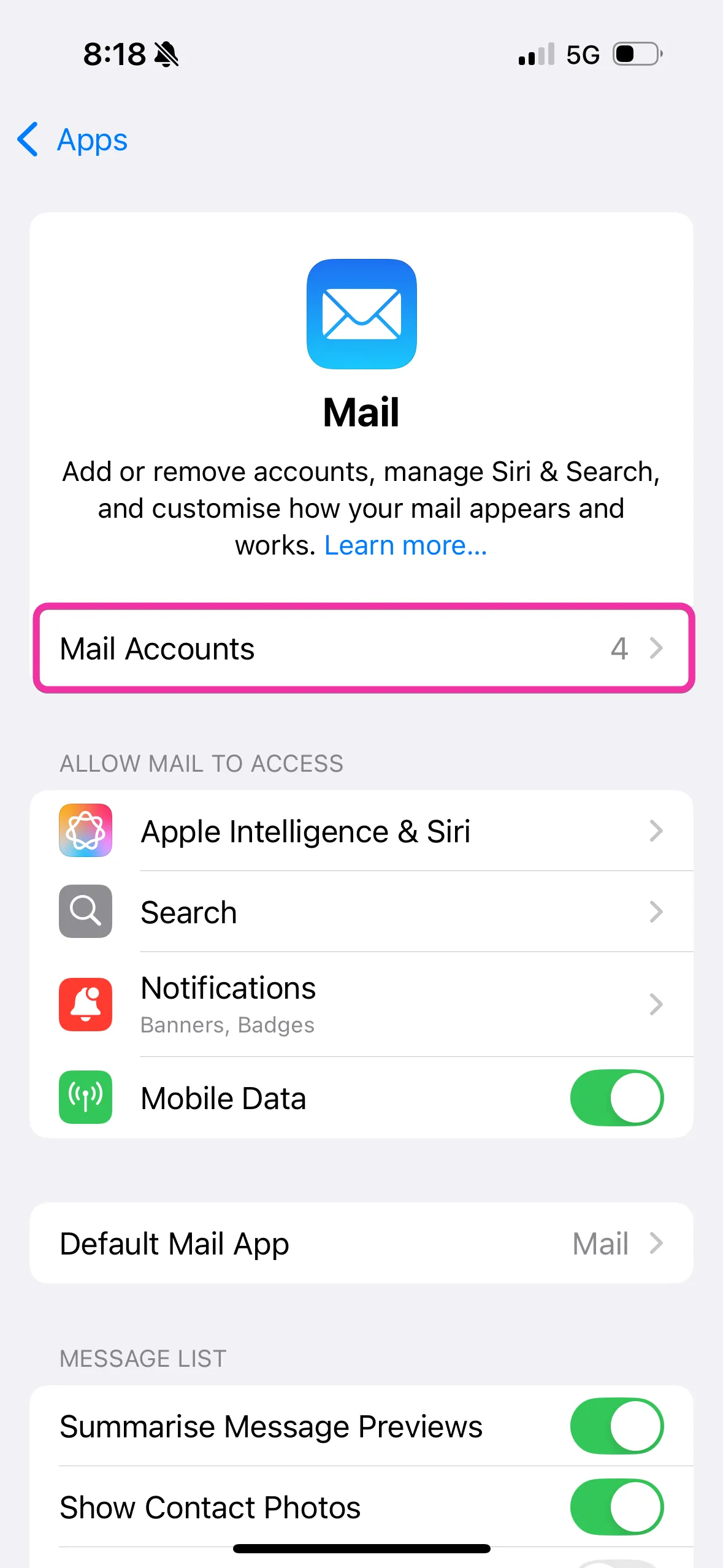
- Click Mail (Apps)
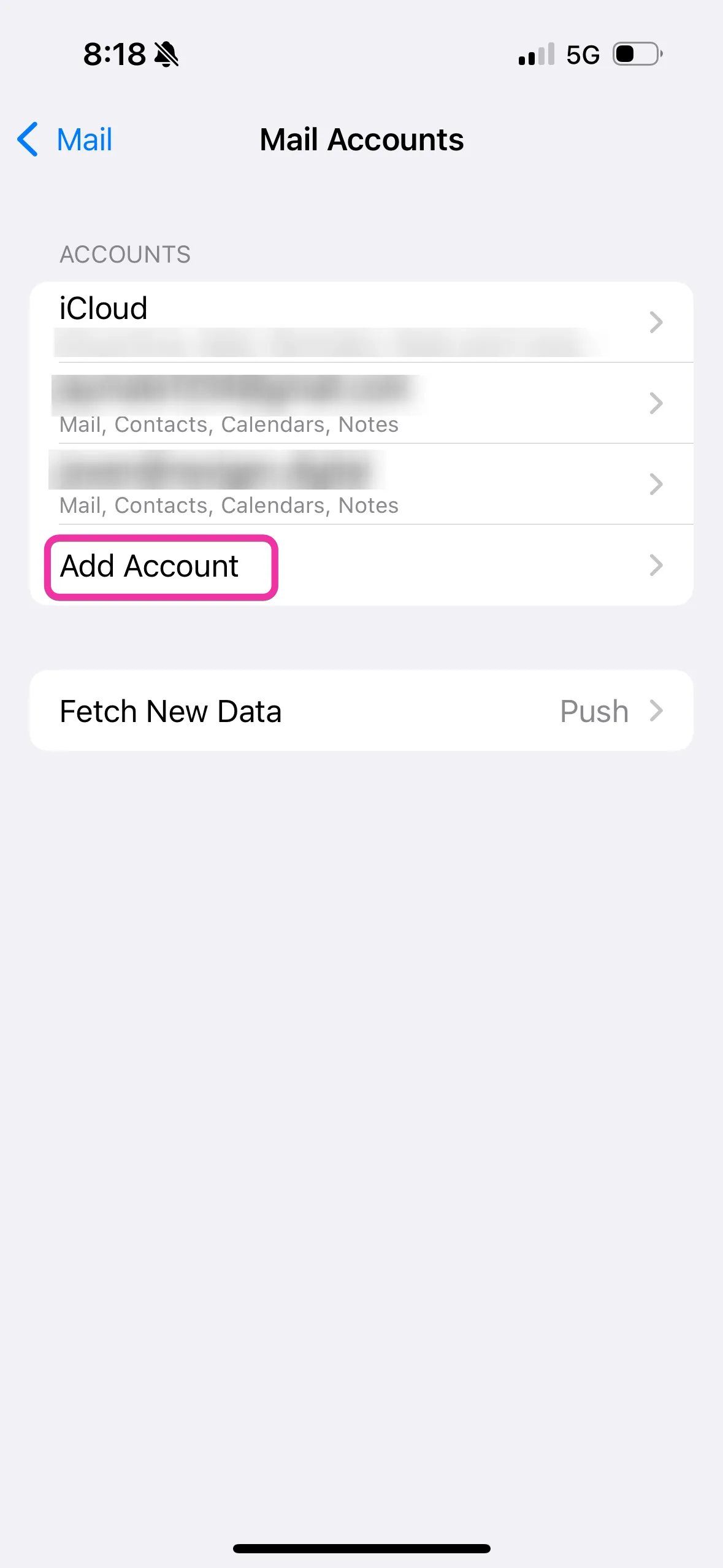
- Click Mail Accounts
- Click ‘Add Account’
View Images
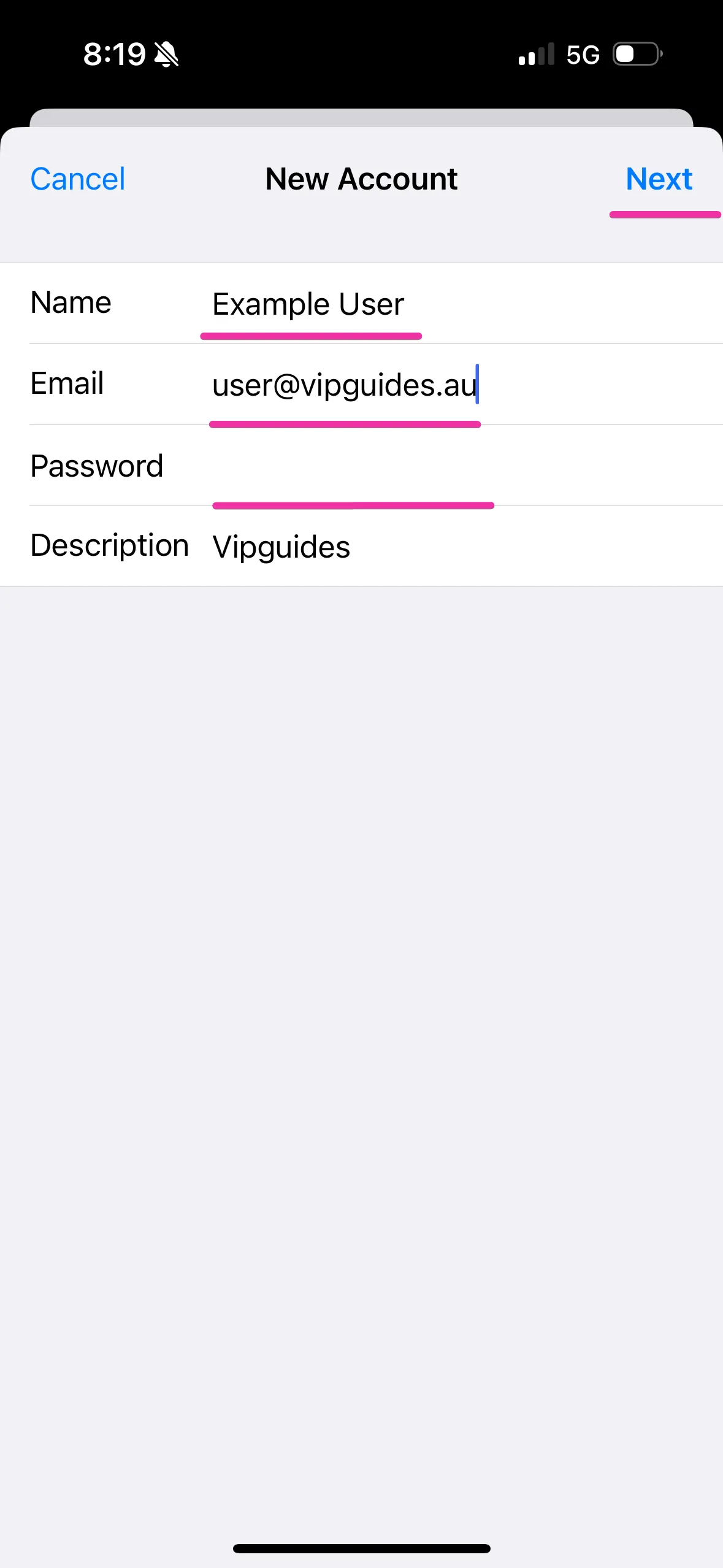
2. Click ‘Other’ for the Account Type, and Enter Your Email Address and Password
- Name: Enter the name you wish for your emails to appear from
- Email Address: Enter your email (e.g.,
user@vipguides.au) - Password: Your email password
- Description: Optional, this is purely for organisation within iOS
- Click ‘Next’ (top right)
View Image
3. Enter IMAP/SMTP Server Settings
Incoming Mail Server
- Hostname:
- Dedicated Email Hosting:
ventraip.email - cPanel Email Hosting:
mail.yourdomain.com(replace with your actual domain)
- Dedicated Email Hosting:
- Username: Enter your email (e.g.,
user@vipguides.au) - Password: Your email password
Outgoing Mail Server
- Hostname:
- Dedicated Email Hosting:
ventraip.email - cPanel Email Hosting:
mail.yourdomain.com(replace with your actual domain)
- Dedicated Email Hosting:
- Username: Enter your email (e.g.,
user@vipguides.au) - Password: Your email password
View Image
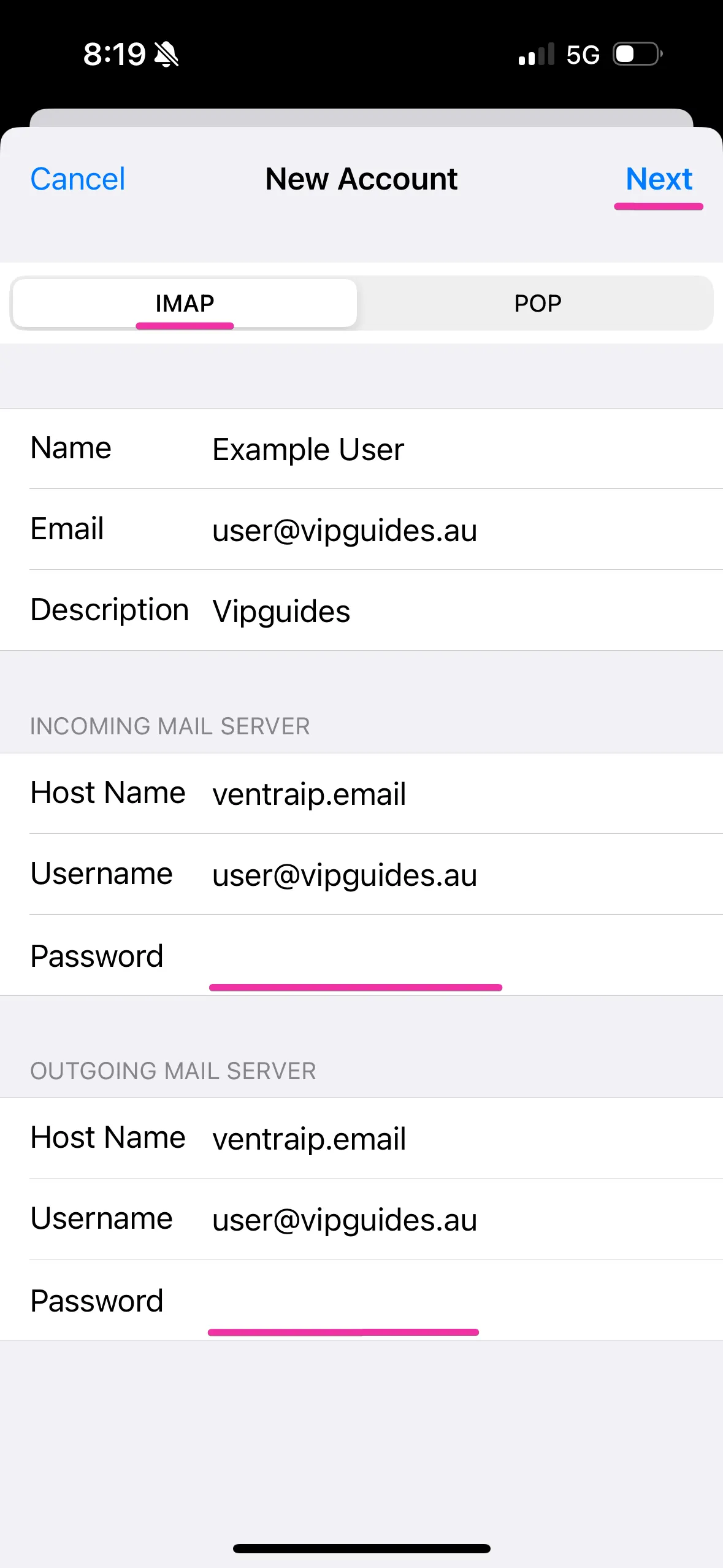
4. Click ‘Next’ and Follow Any Final Personalisation or Setup Prompts
Done!
View Image
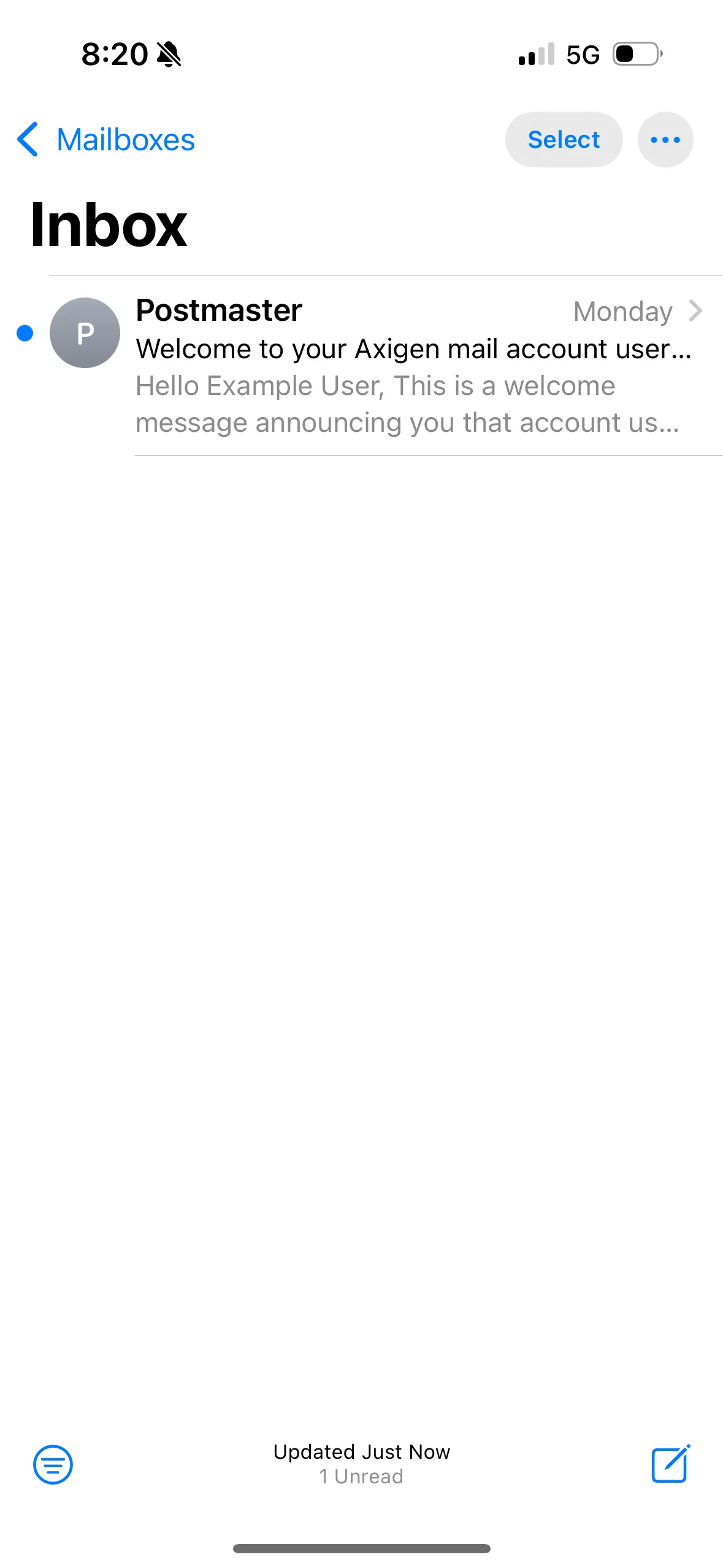
🔧 Troubleshooting: If you are running into any issues, take a look at our guide on Troubleshooting Email Client Problems.
Still Having Issues Setting Up?
While our support for third-party email software is limited, we’re happy to help where possible!
If you encounter any errors during configuration, please submit an eTicket with screenshots of both any error messages and your configuration settings so we can assist you.
For advanced troubleshooting needs, please consult a local IT technician or contact the software vendor directly.

We Are Here to Help You
Get in touch with one of our local experts at any time.