


Browse by Popular

Domain Name
- What is a domain name?Eligibility criteria for registering .AU domain namesPremium domain names explained

Web Hosting
View All
Email Hosting
- Outlook 365 (Classic) Email Setup GuideMail app setup for iOS (iPhone + iPad)Gmail (webmail) email setup

Google Workspace
- Getting Started with Google WorkspaceGoogle Workspace support resourcesTransferring an existing Google Workspace service to VentraIP

Account
- How do I reset my VIPcontrol password?How do I create a VentraIP account?How can I see who accessed my VentraIP account?

Troubleshooting
- How do I clear my browser cache?Troubleshooting a ‘500 internal server' errorTroubleshooting with a ping test
All about Monarx Security
Monarx is security software that focuses on malware/threat detection, removal, and real time threat shielding that we run on our shared hosting and fully managed VPS plans.
How Monarx works
Monarx actively scans your website files in real time and using their crowd-sourced detection, will quarantine any files or remove any malicious code it detects. This is account wide.
Accessing Monarx
To access Monarx:
- Log in to cPanel.
- Click on Monarx Security under Security.
- From there, you’ll be able to see the Monarx Security dashboard.
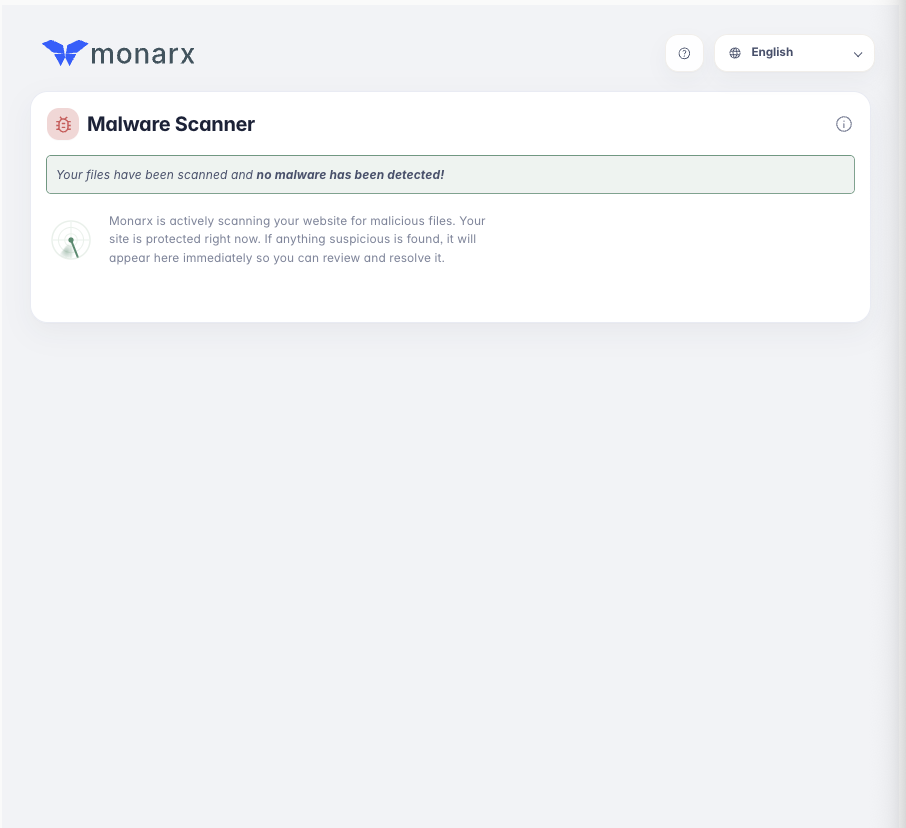
This will display any detected threats or malware where you can review, and resolve it.
Frequently asked questions
Do I have to manually prompt it to scan my files?
Monarx scans your website and files in real time, so you don’t need to initiate a scan manually.
Is this a replacement for my website security plugins?
No, as with most security plugins, Monarx is there as basic protection from malware and threat detection. It can’t protect against all threats and its highly recommended to use in conjunction with website-level security plugins and hardening done by yourself or your web developer.
We have a guide on some best practises that you should take here.
Does Monarx work when I have multiple sites hosted?
Monarx protects on a per-user level. This means that if you have subdomains or other domain names hosted in the same account, Monarx will cover all websites hosted within your account.
