
Browse by Popular

Domain Name
- What is a domain name?Eligibility criteria for registering .AU domain namesPremium domain names explained

Web Hosting
View All
Email Hosting
- Outlook 365 (Classic) Email Setup GuideMail app setup for iOS (iPhone + iPad)Gmail (webmail) email setup

Google Workspace
- Getting Started with Google WorkspaceGoogle Workspace support resourcesTransferring an existing Google Workspace service to VentraIP

Account
- How do I reset my VIPcontrol password?How do I create a VentraIP account?How can I see who accessed my VentraIP account?

Troubleshooting
- How do I clear my browser cache?Troubleshooting a ‘500 internal server' errorTroubleshooting with a ping test
Logging Into Your WordPress Dashboard
There are multiple ways to login to WordPress, here’s how
Direct URL
This is the primary way of logging into WordPress if you know your WordPress username and password. If you don’t know or have forgotten the password, you can use this guide here
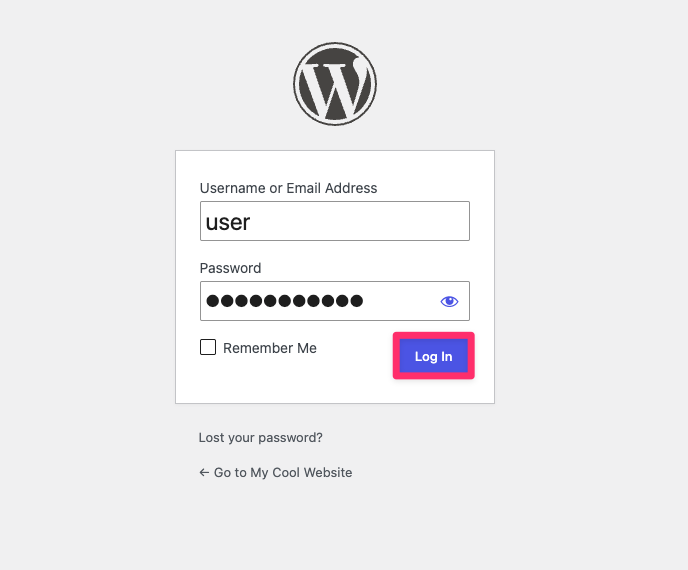
- Open a web browser and type in your domain name followed by
/wp-adminor/wp-login.php(e.g.https://example.com/wp-admin) - Enter your WordPress username and password and click Log in.
WordPress Management
If you have installed or added your WordPress website via the “WordPress Management” tool within cPanel, you’re able to login using the following steps:
- Log into cPanel.
- On the left, click ‘WordPress Management.
- Click the ‘Login’ button below your website’s preview.
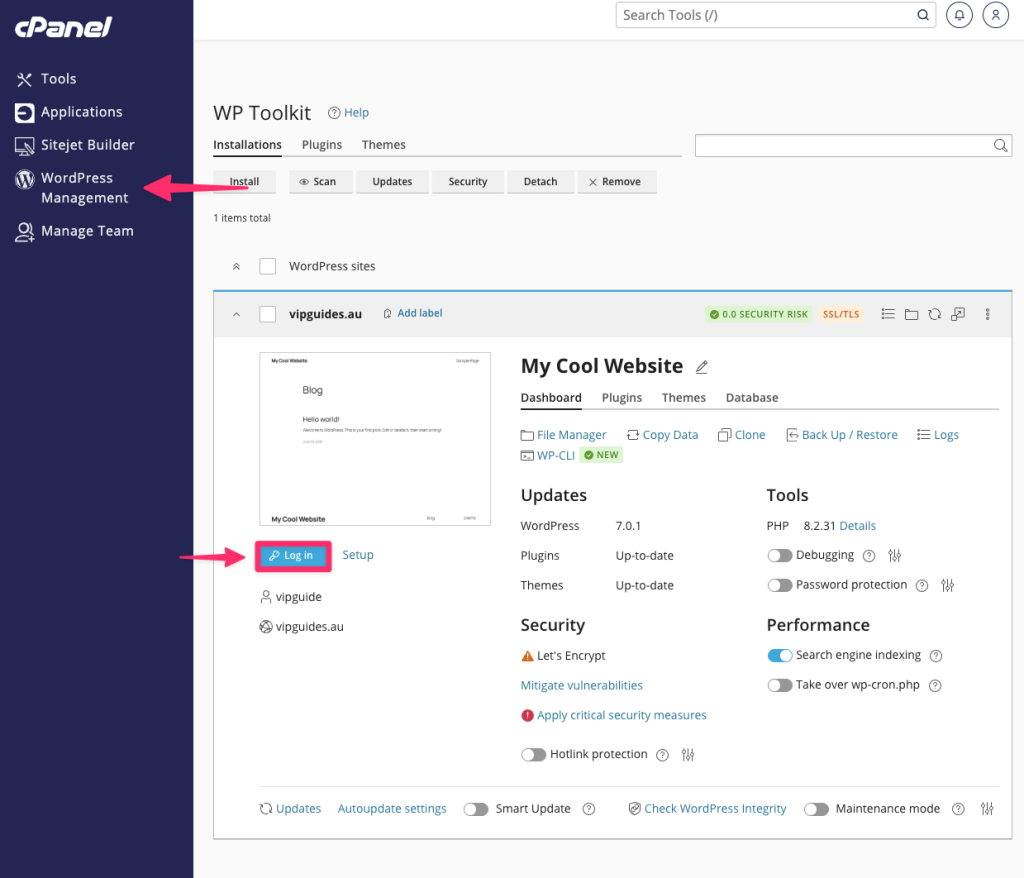
If you can’t login directly, you can reset the admin details by clicking on the ‘Setup’ button instead and entering a new password. Once updated, click the ‘Login’ button again.
Softaculous App Installer
If you installed or added your WordPress website via Softactulous, you can login to the WordPress dashboard using the following steps:
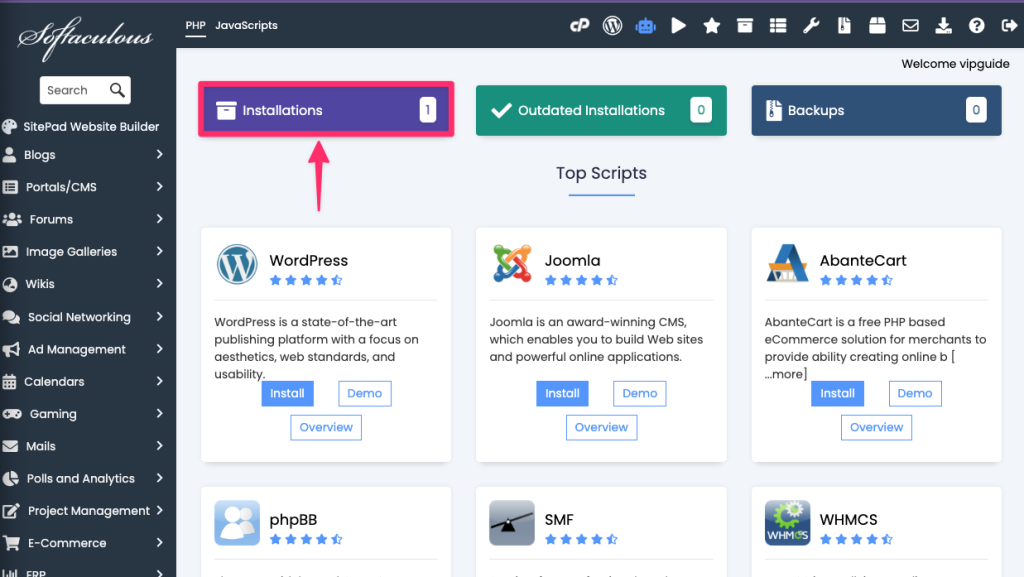
- Log into cPanel.
- Search for Softaculous App Installer under Software.
- Click on Installations.
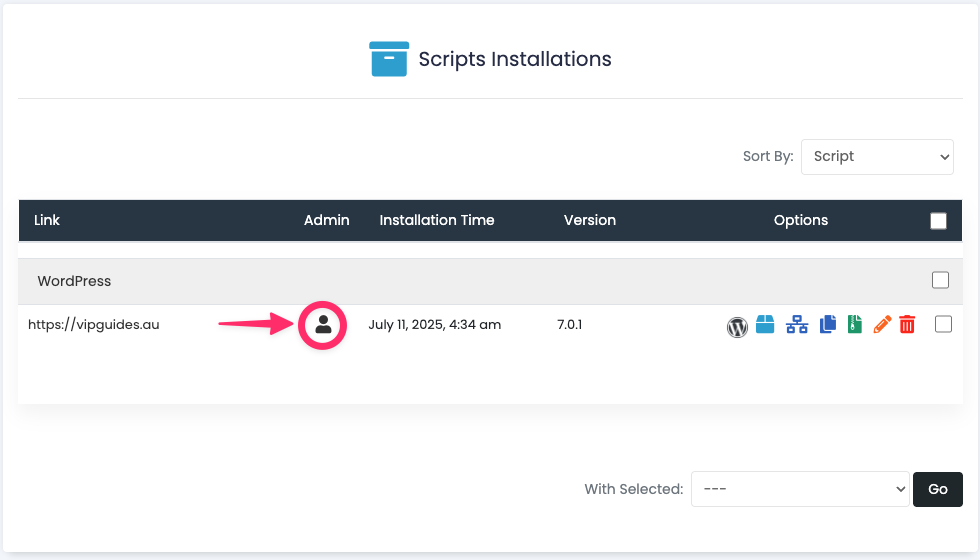
- Click on the person icon to log in.
Installatron App Installer
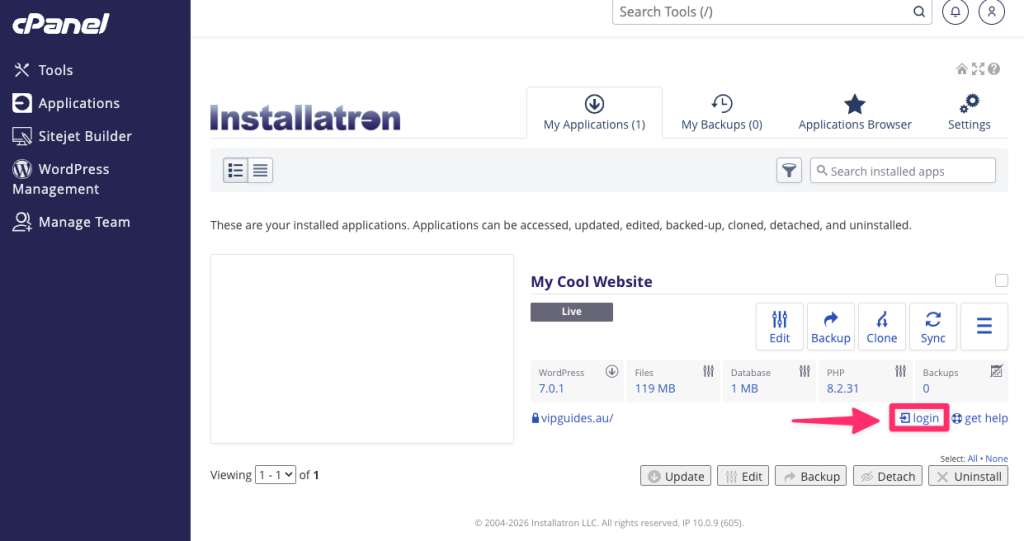
If you installed or added your WordPress website via Installatron, you can login to the WordPress dashboard using the following steps:
- Log into cPanel.
- Search for ‘Installatron’ under Software.
- Click on the ‘My Applications’ tab
- Click the ‘login’ button.
Forgot your WordPress password>?
If you can’t remember your WordPress password, you can use the following guide to reset your WordPress password:
If you need any further help or if you have any questions, feel free to contact our Technical Support Team and we are happy to help!
