


Support Centre
Find the answers to your questions and get the support you need with the VentraIP help centre.
Browse by Popular

Domain Name
- What is a domain name?Eligibility criteria for registering .AU domain namesPremium domain names explained

Web Hosting
View All
Email Hosting
- Outlook 365 (Classic) Email Setup GuideMail app setup for iOS (iPhone + iPad)Gmail (webmail) email setup

Google Workspace
- Getting Started with Google WorkspaceGoogle Workspace support resourcesTransferring an existing Google Workspace service to VentraIP

Account
- How do I reset my VIPcontrol password?How do I create a VentraIP account?How can I see who accessed my VentraIP account?

Troubleshooting
- How do I clear my browser cache?Troubleshooting a ‘500 internal server' errorTroubleshooting with a ping test
Restoring Files Using Acronis Backup
- Log in to cPanel.
- Select Acronis Backup.
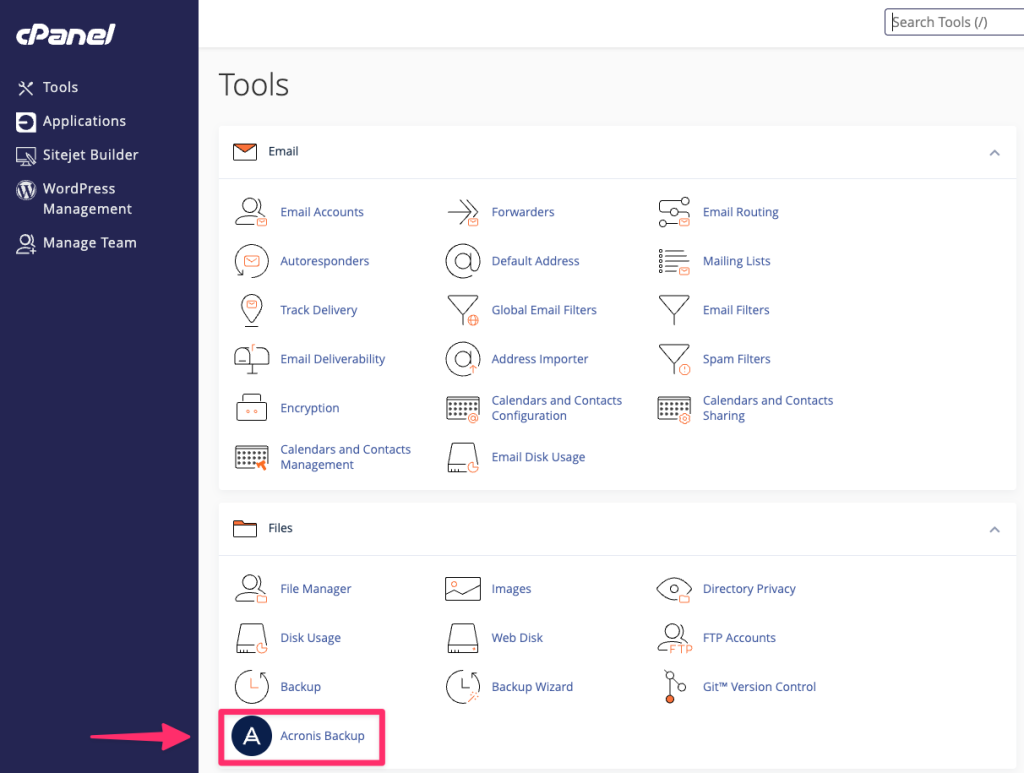
- You will see a list of available backup points and times. Select a time that you would like to restore back to.
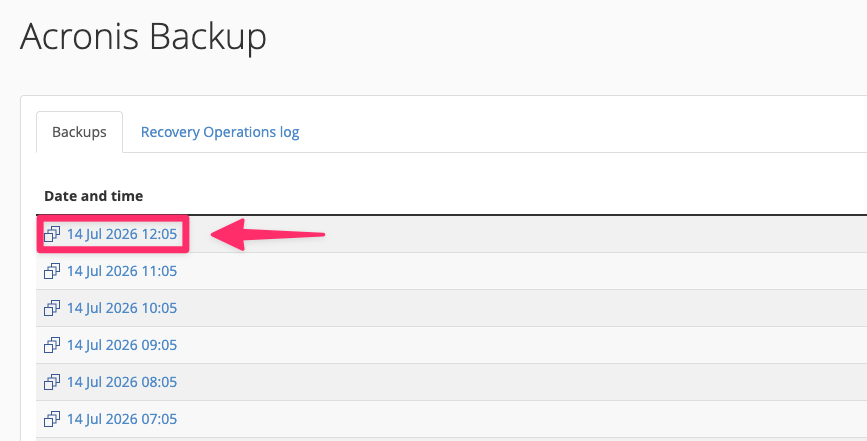
- The backup point should start loading (1-2 minutes). Once loaded, select Files.
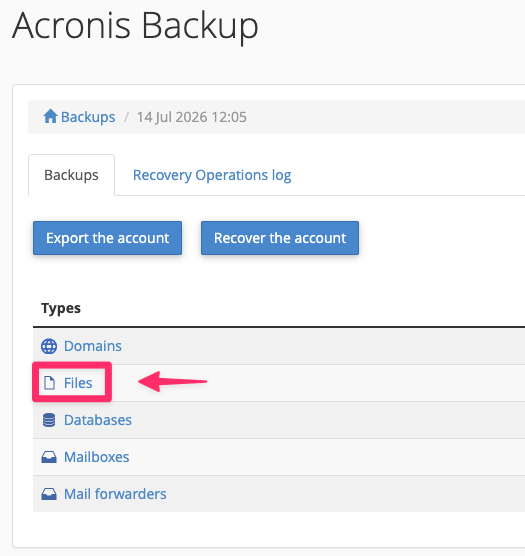
- You will be presented with a list of your files and folders in your account. Which you can navigate through.
Note: Most website files are located under the
public_htmlfolder. If in doubt, please contact your web developer for assistance. - Select the files or folder that you would like to restore, then click ‘Recover’.
- A popup box will appear asking if you would like to remove any files not present in the backup. We would recommend ticking this option in events such as:
- Your website has been compromised and you’d like to remove any files that appeared after the backup date.
- You’ve installed a new website plugin or theme that has corrupted or conflicts with your existing files.
- You would like to completely revert the site to an older version.
- Click ‘Start Recovery’.
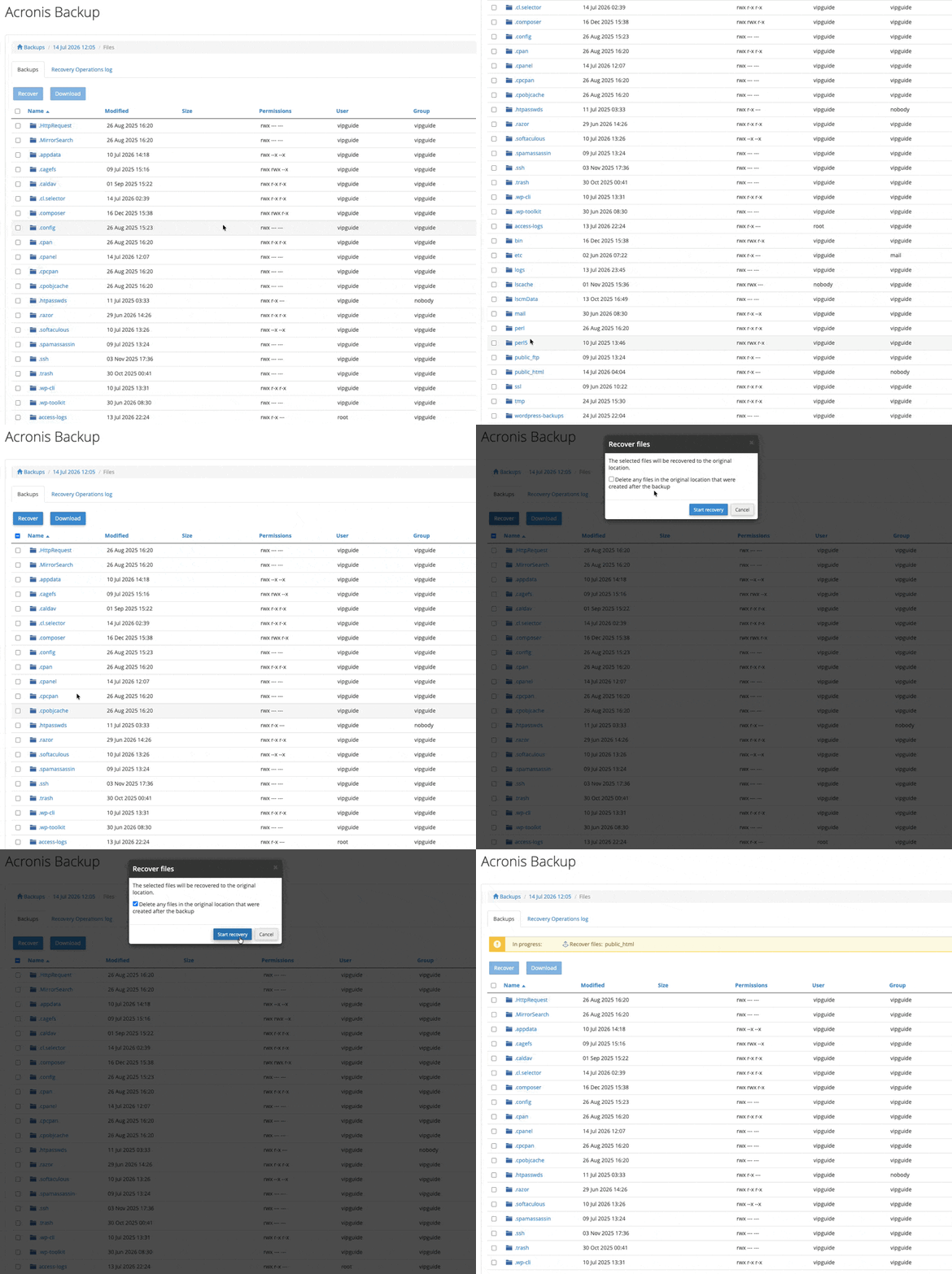
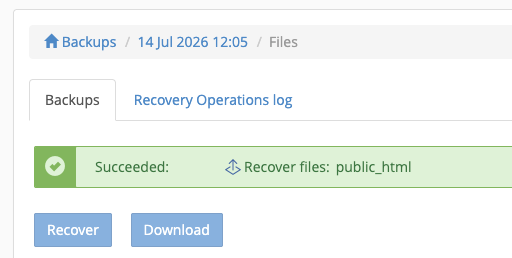
- A box will appear up the top to show you the backup is in progress, once complete it will alert you it has succeeded. You can also check the “Recovery Operations log” for the recoveries progress.

We Are Here to Help You
Get in touch with one of our local experts at any time.